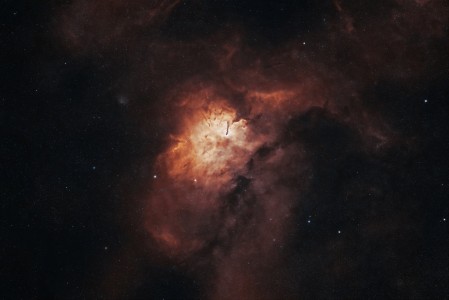
Image of the day

Captured by
Byron Davies

Sh2-86 (NGC-6820)

My Account

New to Astromart?

Register an account...

Need Help?

Starting Up

Started by billsil377, 05/07/2010 09:44PM
Posted 05/07/2010 09:44PM Opening Post
I'm new to Astromart and can find no instructions re word limits for ads or pictures or how to actually get pictures in. What URL are they asking for? My pictures are in "My Documents in Windows XP with a designation like "img 433.bmp". Is that what they want or what? There are so many domain names involved that I'm lost. Any help appreciaed since they just referred me to the Forum for help. Their "help" isn't up and working yet, it seems. Thanks.
Bill
Posted 05/07/2010 11:26PM #1
Bill,
I am not sure about a word limit, but I have never run up against one in my ads. Once you have entered text into your ad, the next screen will let you add photos. I usually click on "Browse" and then just go to "My Pictures" and then to whatever folder I have put them in. Click on the image, and the path will be entered in the browse box. Then click on "Upload." There is a size limit for each photo, I believe it is 500KB.

Hope that helps.

Jeff Bennett
