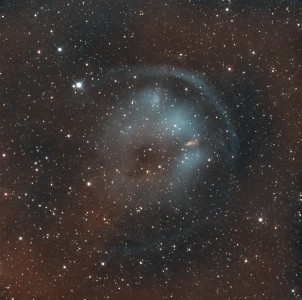
Image of the day

Captured by
Yue Ma

HFG-1

My Account

New to Astromart?

Register an account...

Need Help?

The Sky 6 question

Started by richflt, 01/07/2008 02:54AM
Posted 01/07/2008 02:54AM Opening Post
This sounds elementry, but i have not been able to figure this out...
How do you toggle back to the "virtual sky" view after zooming to something
not on the current screen? I have to close the program and restart to get back to the Normal mode.
Posted 01/08/2008 06:17AM #1
Richard, it depends what you mean by zooming to something not on the current screen. If you zoomed in too far, you may get a black screen. In that case, go to Orientation, click to Zoom to, in the drop down pick the zoom level. Or hit one of the N E S W buttons on the taskbar, it will put you in a 100 degree field, near the horizon at one of the cardinal points.
That is just one of the zooming.
What specifically do you mean? What did you zoom to?
Joe.
