Image of the day

Captured by
Shane Yarnall

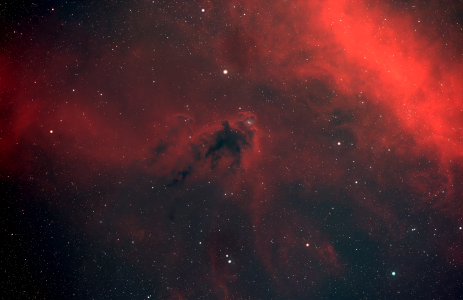
LDN 1622

My Account

New to Astromart?

Register an account...

Need Help?

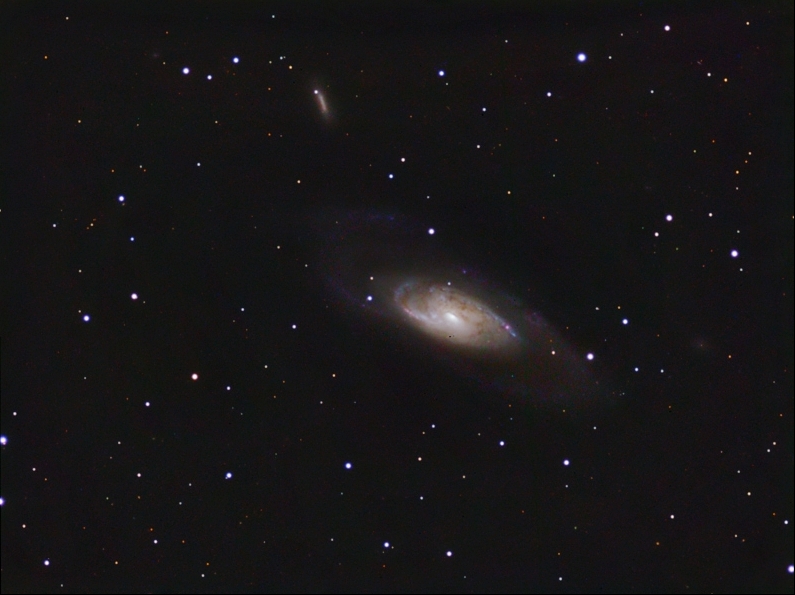
M106

Started by Trannyguy, 02/13/2007 02:31AM
Posted 02/13/2007 02:31AM Opening Post
Hi all,
Here is my latest attempt smile
Luminance is 14x480s RGB 6x300s Both binned1x1


The color data was very weak and I had to stretch it hard to bring out the very faint arms of this galaxy,so it's a little grainy sad
I took flats for all my filters but ended up not using them as they seemed to do more harm than good.While they did get rid of some dust and dew spots they made the background very uneven in illumination from one side of the frame to the other.
Maybe this is from the light pollution gradient in the subs?
Oh well,I'll try again next time!

Comments and tips always welcome.

Tec 140 at F7
St-2000xm,CFW8 with Astrodons
G-11 on a pier grin

Thanks for looking,

Jason


Attached Image:

Trannyguy's attachment for post 35755
Posted 02/13/2007 04:30AM #1
Jason,
I like the image a lot. I have a hard time seeing the effects of your concerns in the image. So I think you must have processed well to work around the issues.

Jim Thommes

Mak-Newt 152 mm
C8
Megrez II APO
Zenithstar 66 mm APO
G11/Gemini
ST8300M
Artemis285 Camera
Canon 350D DSLR

http://jthommes.com/Astro/
Posted 02/13/2007 05:50AM #2
hi Jason,

that`s a beautiful image of the beautiful m106!

best
dietmar


clear skies, guys!
Dietmar
---
www.stargazer-observatory.com
Posted 02/13/2007 02:44PM #3
Jason,

I agree with Jim - you processed out the flat artifacts very nicely.

How did you shoot your flats? I've been using a light box for proably over two years, and dealing with some background artifacts that almost ruined quite a few of my images. Recently, I evaluated CCD Autopilot, and let it run all night to where it shot sky flats for me. I sudddenly had *no* background artifacts to deal with. All I had left were light-pollution gradients, and even then surprisingly mild gradients that were easy to remove.

HTH,
Eric
Posted 02/13/2007 03:11PM #4
Jason Boyce said:
....I took flats for all my filters but ended up not using them as they seemed to do more harm than good.While they did get rid of some dust and dew spots they made the background very uneven in illumination from one side of the frame to the other.
Maybe this is from the light pollution gradient in the subs?.....
Hi Jason,
The 'bad' effects of light pollution, and not using flats can indeed be hidden by raising the black point. This comes at a high price, though. Good data gets tossed out, too.
I think you were right in thinking that light pollution gradients were responsible for what you were seeing after calibration. Why not go back to that point and remove your gradients to see what you get then?
Flats are an essential part of processing; I don't know of any accomplished imager that doesn't use them. Taking flats is sometimes called an art form since it takes some skill to get good flats. The test of a good flat is "does it work?". In your case, since it did remove the dust spots, I would say that your flat was probably good.
Russ Croman has a fine gradient removal tool:
http://www.rc-astro.com/resources/GradientXTerminator/index.html
as does Ron Wodaski:
http://www.newastro.com/newastro/downloads/rem_grad/default.htm
Removing gradients manually in Photoshop is a handy skill to learn, too.

dan