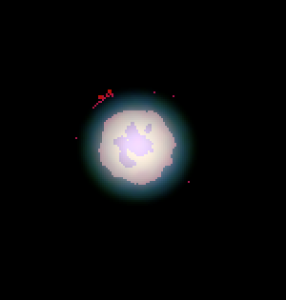

Last night didn't turn out quite like I was hoping. For one, I didn't notice that the laptop was running low on drive space, and I think that was giving my 1280 resolution a choppy real-time image on my screen (although as it turns out it was okay processed). However, I've run into this problem a few times: when the file gets large enough (over 1 gig) I get a ".avi failed to decompress" message in Registax. Can it not handle files that large?
This question raises another for me concerning framerate. Tutorials all over the net say that 5-10 fps is the recommendation, but isn't that for USB 1 lines? My laptop is fairly new, and both the camera and it have USB 2 standards. I put my fps at 20 most times, but have even gone up to 23 and as low as 5 fps, but I can't see a difference (for individual frames). The only reason I try and push the fps is b/c of lack of guiding. About half of my .avi files last night have failed to process b/c of this error.
I think this is the best from last night from the .avi's I was able to save. You can see a difference between the shadow and Callisto, but I don't know if I'm over analyzing by seeing the left limb having detail. I can't wait to see what you guys did with this image tonight!

Here is the same image, same time, in Celestia.

This question raises another for me concerning framerate. Tutorials all over the net say that 5-10 fps is the recommendation, but isn't that for USB 1 lines? My laptop is fairly new, and both the camera and it have USB 2 standards. I put my fps at 20 most times, but have even gone up to 23 and as low as 5 fps, but I can't see a difference (for individual frames). The only reason I try and push the fps is b/c of lack of guiding. About half of my .avi files last night have failed to process b/c of this error.
I think this is the best from last night from the .avi's I was able to save. You can see a difference between the shadow and Callisto, but I don't know if I'm over analyzing by seeing the left limb having detail. I can't wait to see what you guys did with this image tonight!
Here is the same image, same time, in Celestia.
16" f/4.52 ATM Truss Dob, Discovery Mirror
Denk II w/nags junkie
