Image of the day

Captured by
Lawrence Parchman

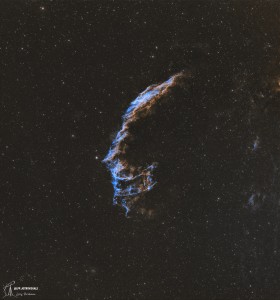
Eastern Veil Nebula (NGC 6992) - Wide View

My Account

New to Astromart?

Register an account...

Need Help?

I want to get started

Started by 1953, 10/02/2010 04:45PM
Posted 10/02/2010 04:45PM | Edited 10/02/2010 04:45PM Opening Post
I really want to start doing color planetary imaging but I'm a complete neophyte.

The only thing I've zeroed in on is an Imagingsource DFK 21 or 31 color camera.

So I need help with defining which model and what computer hardware/software & cabling are needed to capture the images and then post process them.

So I'm looking for recommendations and how-to's.

Thanks:

Jeff

"Don't sweat the petty things and don't pet the sweaty things" 8O

Posted 10/02/2010 05:42PM #1
Regarding the camera, I'd get the DFK 21, since it goes to
60 frames per second. The DFK 31 only goes to 30 fps which is
not enough in average seeing. I believe it also has somewhat
better noise performance. You don't really need the larger
DFK 31 chip unless you are planning to do mostly lunar
or solar observing. It takes more time to read the larger
chip -- mostly wasted time for planet observations. Only if
you have a large scope -- like 16" and excellent seeing,
would the larger chip become useful for Jupiter, etc.

As for computer, I'd get one with both USB and FireWire ports.
I tend to get the fastest frame rates if the images can be
stored somewhere that is not the internal main disk drive,
nor the same port the camera is atttached to. For example,
for a USB camera you might record the images to an external
FireWire drive. Some computers have the ability to attach
multiple internal drives, and that is another solution.
For example, some laptops have an expansion bay where you can
install a second hard drive for recording the images.

If you are going to process the images on the same computer,
you'll want a fast processor (dual core, 2 GHz or faster)
and lots of memory (2 GB or more). If you are just recording
with this computer, then somewhat less performance would be
OK.

It would also be best if the recording computer had as little
un-needed software on it as possible. If there are many
programs installed, there are probably many things running
in the background that will slow down the data recording.

Software: I like both Registax (free) and K3CCD (cheap)
for windows computers, but there are probably others that
work OK. My own experience is that K3CCD is somewhat better
at aligning the images, but Registax has more post-processing
features like wavelets. You'll also want some sort of
general image software like Photoshop for final adjustments,
etc. (Maybe you can find an old version of Photoshop
cheap somewhere. There are many other similar softwares
that work OK -- I sometimes also use Corel Paint Shop Pro
Photo.)

As for scope hardware, you'll want to run around F/25 to
F/30 which generally means some Barlow lens in front
of the camera. A flip mirror with cross hair
eyepiece (for centering the target) will also be extremely
helpful to have.
Posted 10/03/2010 03:15AM #2
If you want a color cam, in the long run it's usually best to choose the DBK series over the DFK. The DFK has an IR-cut filter bonded to the CCD coverglass, while the DBK has no such filter. If you decided to do some near-IR imaging with filters like the Baader 685 or Astronomik 742 and 807 IR-pass filters, the built-in IR-cut filter of the DFK will defeat that purpose.

For normal color-cam imaging, an IR-cut filter is definitely needed because some IR leaks into the G and B sensitive pixels. The IR-cut mutes this leak, and allows good color balance. So simply use a screw-in IR cut filter for normal color imaging. The DBK simply allows more flexibility vs. the DFK.

---John