
It was a little too low to image yet - the air wasn't very steady at low elevations last night. I was able to apply some processing magic to bring the image into line reasonably well:
* I took enough luminance (40 minutes) to enable a heavy deconvolution, and even a bit of unsharp masking as well. This cleaned up the image overall, revealed details in the nebulosity that were obscured by the poor seeing, and made the stars rounder (thought not perfectly so).
* I also made reasonably long color exposures even though this is a bright object (9:15:18 RGB). Strong color can hide some bloating in the luminance.
* I used Color Range | Highlights to select just the stars. I did a little manual lassoing to unselect the brightest portions of the nebula. I then copied and pasted the stars in as a layer. I sharpened just the brightest stars and applied a minimum filter of 1. I faded the minimum filter to avoid strong halos around the stars.
* I made a duplicate of the stars layer, set it's blend mode to Darken, and then used an offset filter of 1 to remove the star elongation. I used Edit | Fade to limit the result to about half a pixel; a full pixel as too much.
After these corrections, the image still looks somewhat soft, but is significantly improved from the original.
Ron Wodaski
http://www.newastro.com
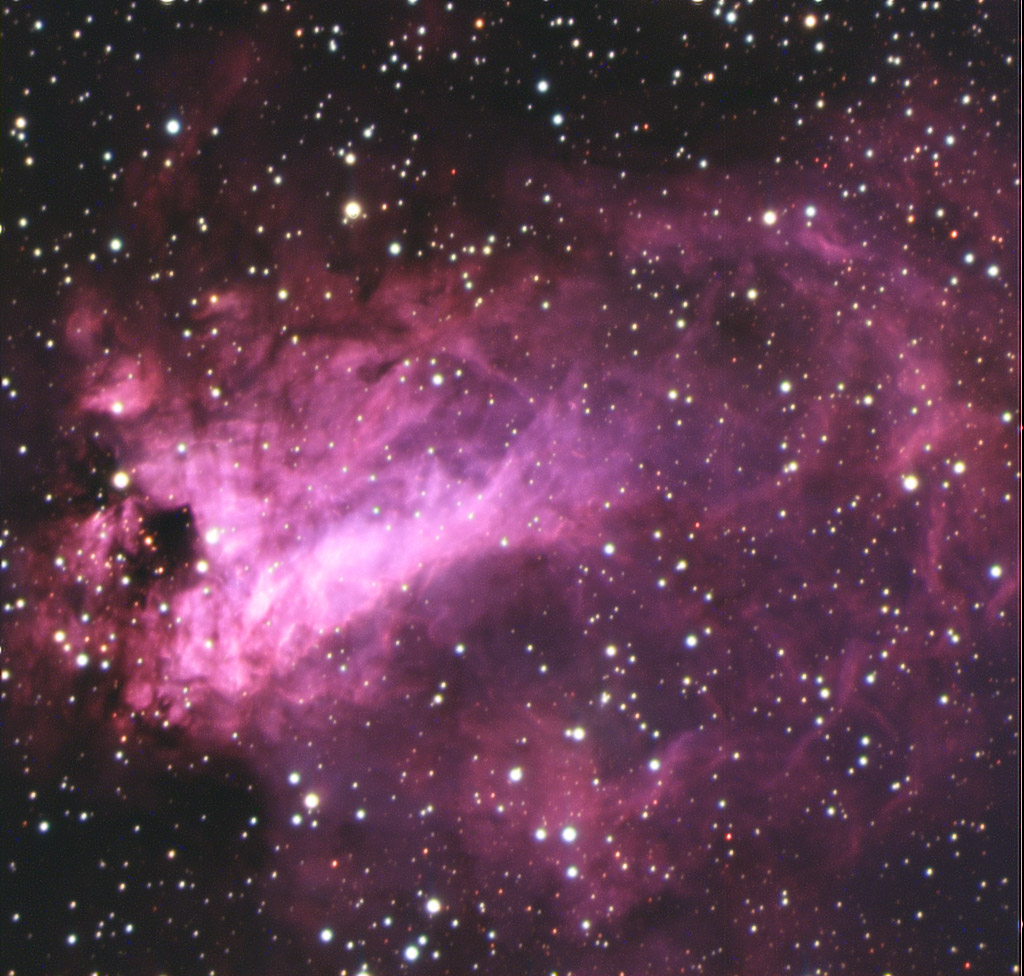
* I took enough luminance (40 minutes) to enable a heavy deconvolution, and even a bit of unsharp masking as well. This cleaned up the image overall, revealed details in the nebulosity that were obscured by the poor seeing, and made the stars rounder (thought not perfectly so).
* I also made reasonably long color exposures even though this is a bright object (9:15:18 RGB). Strong color can hide some bloating in the luminance.
* I used Color Range | Highlights to select just the stars. I did a little manual lassoing to unselect the brightest portions of the nebula. I then copied and pasted the stars in as a layer. I sharpened just the brightest stars and applied a minimum filter of 1. I faded the minimum filter to avoid strong halos around the stars.
* I made a duplicate of the stars layer, set it's blend mode to Darken, and then used an offset filter of 1 to remove the star elongation. I used Edit | Fade to limit the result to about half a pixel; a full pixel as too much.
After these corrections, the image still looks somewhat soft, but is significantly improved from the original.
Ron Wodaski
http://www.newastro.com
Attached Image:
Ron Wodaski
New Astronomy Press
http://www.newastro.com
