Image of the day

Captured by
james carter

North American Nebula NGC7000

My Account

New to Astromart?

Register an account...

Need Help?

A very windy M33

Started by ivanong, 09/22/2006 01:24AM
Posted 09/22/2006 01:24AM | Edited 09/23/2006 03:59PM Opening Post
It was gusty but very very clear last night on the Blue Ridge Parkway. My 5" scope was buffeted around even on my usually sturdy Tak EM-200. Makes one wish for an NJP or AP 900. Anyway, you can tell the stars are clearly suffering from the wind as they are somewhat elongated. I read something that Roland Christen posted some time ago about correcting for that in photoshop. I'll give that a try soon. Anyway, here is M33 though my AP 5" at f/4.5 or so. Canon 20Da, 6x6min. This is a challenge for a DSLR if you are working from light polluted skies like me. The best way to take this is when it is at the highest point in the sky.

Thanks for looking,
Ivan
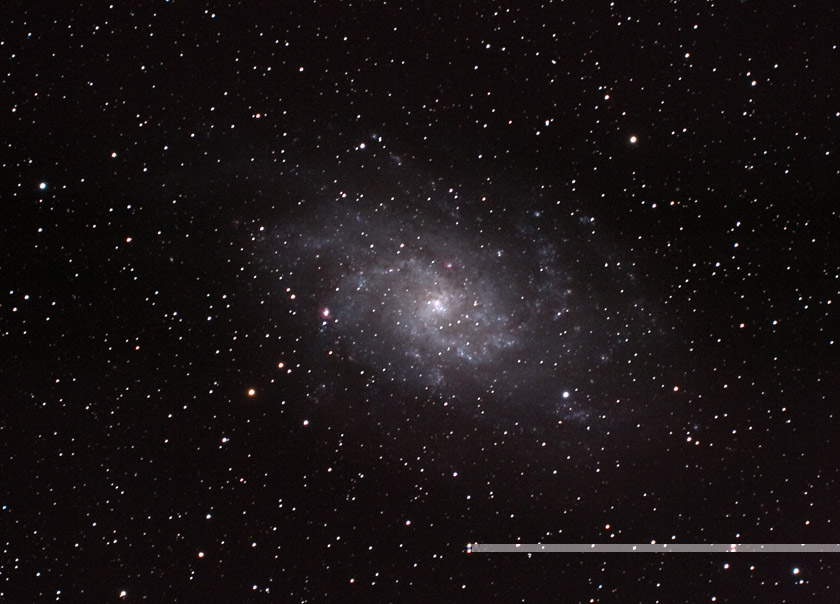
Attached Image:
ivanong's attachment for post 33603
Posted 09/25/2006 04:35AM | Edited 09/25/2006 04:36AM #1
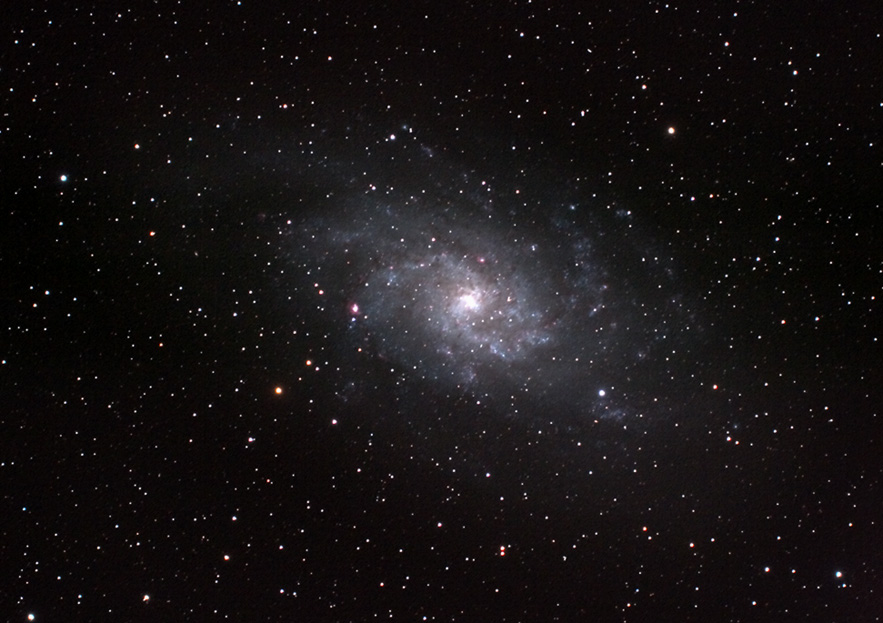
I found Roland Christen's post to correct trailed stars in photoshop. An intriguing technique. Here I have corrected each of the 6 individual frames and have recombined them in MaxIm. But it always helps to have nice steady and clear skies to image!
Ivan

Attached Image:

ivanong's attachment for post 107565
Posted 09/25/2006 11:24PM #2
Hi Ivan,

That technique for correcting star trails is written up at Neil Flemings astro-site.

I have used it numerous times since and it can work quite well. In fact it can be used to create some interesting effects like erase the stars almost completely out of a nebula so you see only the nebula.

It is basically this:

1. Create a duplicate layer.
2. Change it from normal to darken.
3. Select the move tool
4. Use the arrow keys to move it slightly one direction or another and you will see the stars shrink. You can also select the offset filter and punch in numbers to see what effect it causes.

You can also resize the image doubling or tripling it and thenusing the offset filter for finer control.

You can also use the colour range tool to select the object of interest in the image and then select inverse so the move effect is only on the background stars and not the object as it tends to blur slightly.

By the way I have a policy of not using my expensive glass in high winds as they can put a lot of dust on the objective.

Greg.