Image of the day

Captured by
Ralph Ford

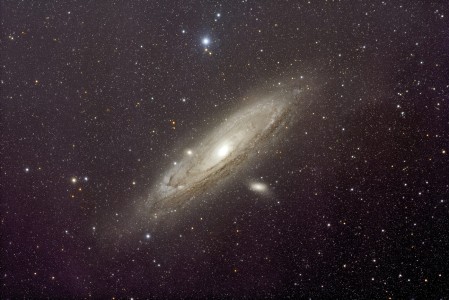
M31 with Redcat 51

My Account

New to Astromart?

Register an account...

Need Help?

Cleaning the pictures

Started by Barlow, 03/01/2003 04:03PM
Posted 03/01/2003 04:03PM Opening Post
(star trail photos), After getting the Pictures back from the developer and letting my 3 y/o take a look he left some grimmy stains on them. I didn't think much of them until I had them scanned in and seen what appeared to be meteor trails. What should I use to clean the photo off before scanning if new photo's get touched?

(I have other questions i'll post in separate threads)
Posted 03/02/2003 01:13PM #1
Michael,

The items that appear to be like meteor trails are probably either scanning artifacts or scratches on your negatives / prints. The easiest way to tell if it is a scanning artifact would be to rotate the prints 90 degrees and scan them again; if it is a scanner artifact, the lines won't rotate with the image.
I have found from my experience working in photolabs that Pec-12 photographic emulsion cleaner produced by Photographic Solutions works the best for cleaning prints and color negatives. I generally use it with Pec pads, a special lint free non-abrasive disposable cleaning clothes. The Pec products are not widely available for resale but can be found at many of the larger photo supply mail order houses ( Adorama, for instance).

Joplin
