Image of the day

Captured by
Philip Imbrogno

Elephant Trunk Nebula

My Account

New to Astromart?

Register an account...

Need Help?

photoshop star trail correction...

Started by inbred, 03/12/2003 10:11PM
Posted 03/12/2003 10:11PM Opening Post
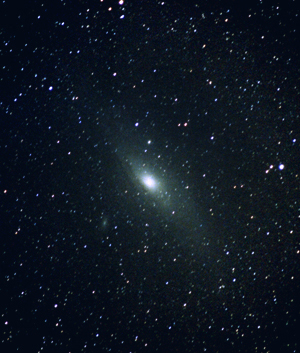
Ok, I had a few minutes to play with this one. Here's a guide for fixing minor trailed stars in photoshop. There are other methods I believe, but this one's very simple. Here's Matt's original image:
Attached Image:
inbred's attachment for post 4513
Posted 03/12/2003 10:14PM #1
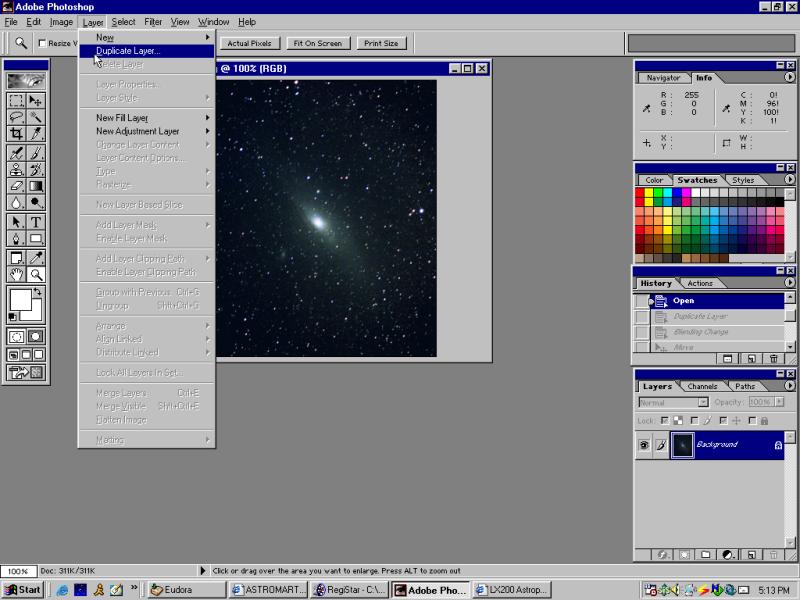
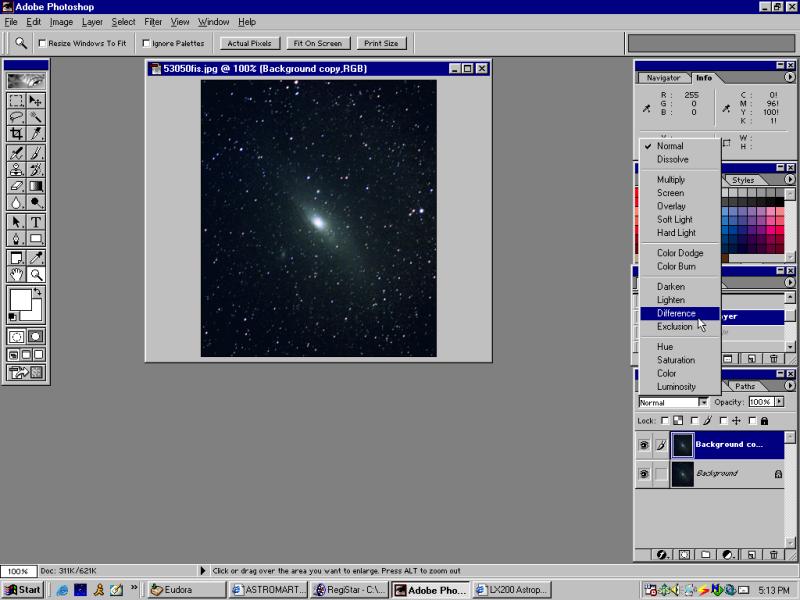
open the image in photoshop, the make a duplicate layer.

Attached Image:

inbred's attachment for post 65757
Posted 03/12/2003 10:16PM #2
select the blending mode to 'darken' (NOT difference as hilighted in the screenshot)

Attached Image:

inbred's attachment for post 65758
Posted 03/12/2003 10:18PM #3
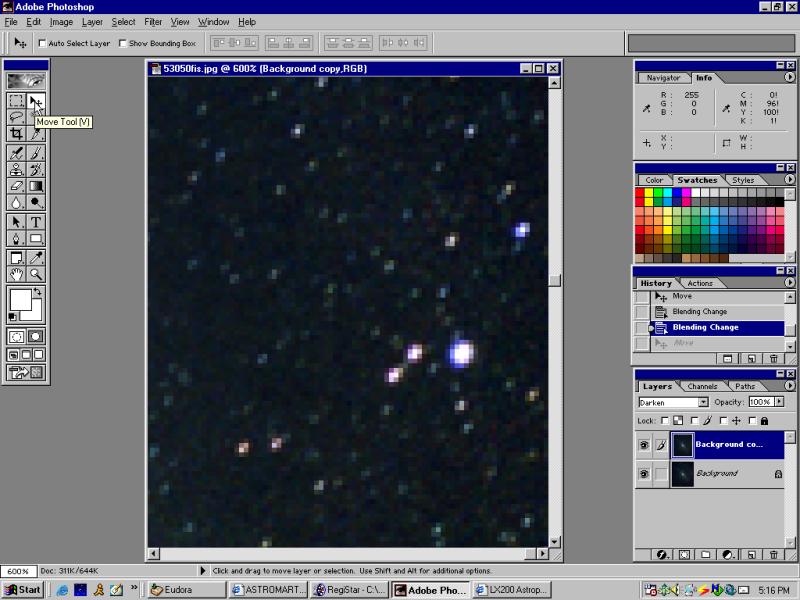
find a nice bright star and zoom in on it heavily. Then select the 'move tool'

Attached Image:

inbred's attachment for post 65760
Posted 03/12/2003 10:21PM #4
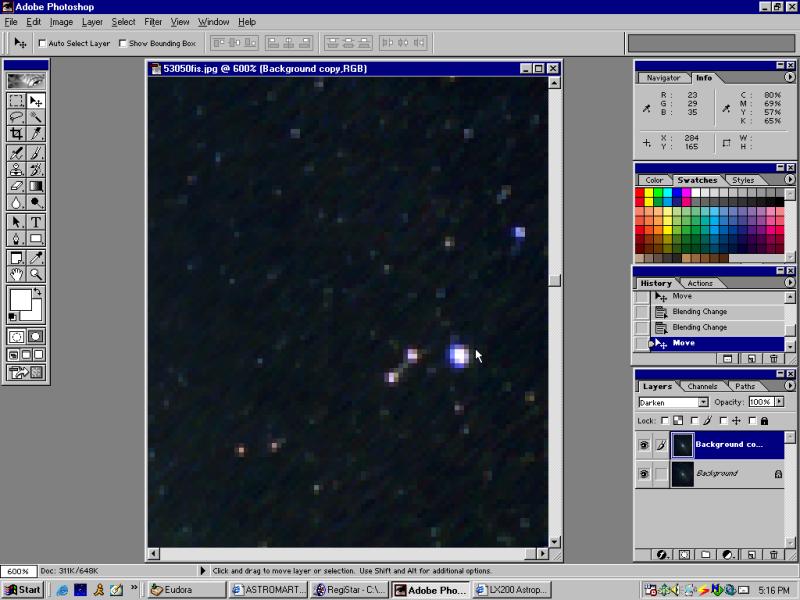
using the move tool, click on the image (the duplicate layer set to 'darken') and move it slightly in the direction of the trailing. The star will look round when the position is right.

Attached Image:

inbred's attachment for post 65761
Posted 03/12/2003 10:22PM #5
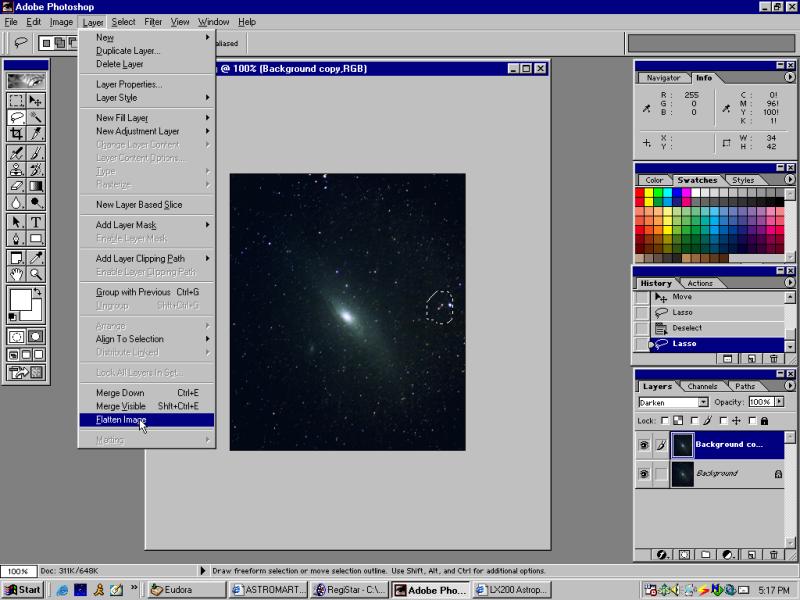
Flatten the image to merge the layers.

Attached Image:

inbred's attachment for post 65762
Posted 03/12/2003 10:23PM #6
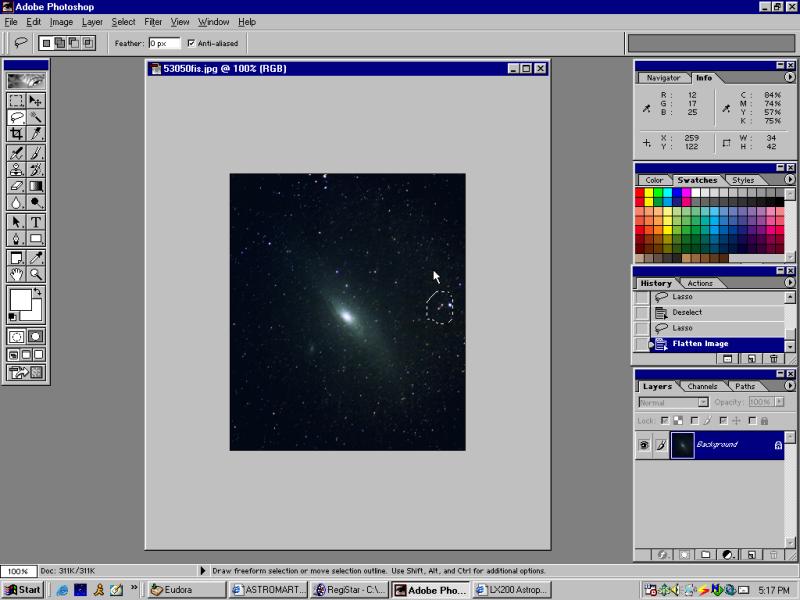
some artifacts may remain (like the 'bridge' between the two stars in the circle. These can be fixed with the clone stamp tool.

Attached Image:

inbred's attachment for post 65763
Posted 03/12/2003 10:27PM #7
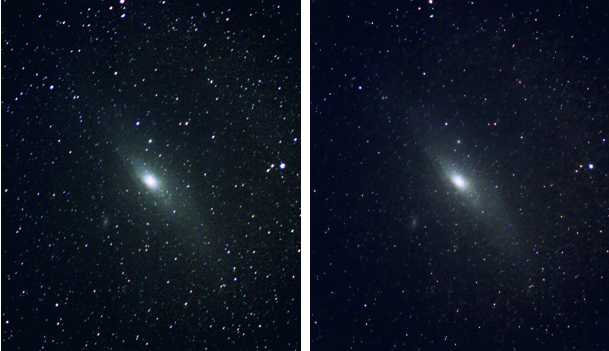
The image can then be re-adjusted (brightness, color balance, etc.). Here are the before and after images (original on left, corrected on right). Hope I helped someone out.

Attached Image:

inbred's attachment for post 65764