Greg,
I'm not exactly the most experienced person in the group, but since I, too, spent way too much time figuring a filing and naming system I thought I'd share mine. I don't use CCDSoft, but rather AstroArt3. But I'm sure this will apply. Also, the best tool I have found for logging is a good old fashioned spiral notebook.
Here goes:
For each sequence I shoot I label the file with some simple, quick to identify information. If I were shooting M51 tonight, here is what a file might read: M51a_L_20060404_
That's M51, the "a" is for the first sequence (then b, c, etc.), L is for Luminance and then the date. The final underscore will be followed by a file number for each shot automatically supplied by AA3 in autosave mode. These all get saved to my hard drive. The next morning I will put into a folder, then subfolder for L, R, G, B, darks and flats I've shot that night. I then create an entire duplicate folder called M51_20060404_Workfolder. I use that folder for all my post processing, storing away the original for safe keeping. In Excel, using the Object name in one field and the date as YearMonthDate in another lets me call up the data either as an alphabetized object list or as a date order list. I find this very useful
As I said earlier, I also keep a written journal of all my photo and observing sessions. In this I'll record temp. conditions, angle of scope, location of object in sky, time, etc., along with number of integrations, time of exposures, etc. I write this on one line per sequence forming a column in the notebook. This is all transferred to an Excel chart the next day (when I'm not lazy). I keep a separate Excel chart for myh finished images with a naming system (eg: M51-001_LRGB_100+20+20+20_Date). On the second processed images chart I'll note the file name of the original raw images. On that first chart I'll also now list the finished image number.
I know this all sounds complicated, but I have been able to go back and find anything this way, and not have overly long and complicated file names. I have all my original raw images backed up to numbered CDs which I also note on the Excel chart of raw images.
As far as postprocessed file naming, I just keep adding steps to the name as I "save as" each step, eg: M51_DATEOFCAPTURE_30x30x_AvgcombineAA3_DDPAA3_HighPassAA3_CurvesPS_croppedAA3 etc. I'll then log all of that information on my processed image chart and finally rename the file more simply as stated above, eg: M51-001_LRGB_30+10+10+10_date.
Sorry for this rather long-winded reply, but I do hope a bit of all this might help.
Regards,
Larry
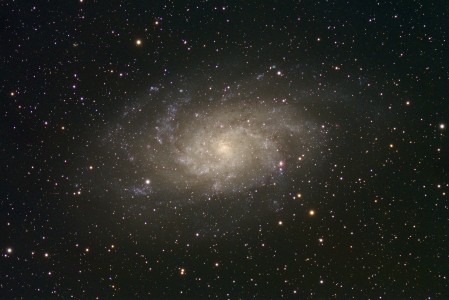
 . As for image size, I do like this size, but perhaps a smaller version attached to the Astromart message with the link to your site might be good for convenience.