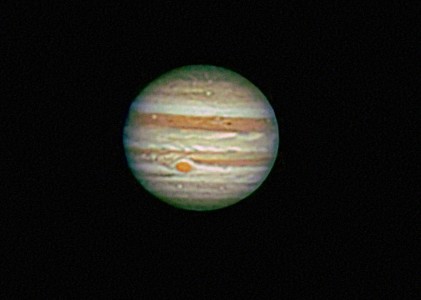
Image of the day

Captured by
Philip Imbrogno

Jupiter

My Account

New to Astromart?

Register an account...

Need Help?

Posts Made By: Charles Hakes

May 24, 2010 06:09 PM Forum: CCD Imaging and Processing/Deep Sky

NGC 6888 with AP130 F8.35

Posted By Charles Hakes

That looks great. Sounds like the worm upgrade is worthwhile.

May 24, 2010 06:13 PM Forum: CCD Imaging and Processing/Deep Sky

NGC6188

Posted By Charles Hakes

Looks nice. (Not anywhere near my zenith, however.)

May 28, 2010 12:24 PM Forum: Digital SLR AstroPhotography

M92

Posted By Charles Hakes

Nicely resolved. Got a galaxy too. (Did you do darks or flats? Looks like some horizontal artifacts.)

May 28, 2010 12:40 PM Forum: CCD Imaging and Processing/Solar System

Moon through a Questar 3.5, 5/19/10

Posted By Charles Hakes

Very sharp. Nice processing.

May 29, 2010 11:00 PM Forum: CCD Imaging and Processing/Deep Sky

Centaurus A 15 hours and blue jet

Posted By Charles Hakes

Very interesting. Looks like the cosmic pen slipped and colored outside the lines a little.

May 31, 2010 02:55 PM Forum: CCD Imaging and Processing/Deep Sky

Lagoon Nebula

Posted By Charles Hakes

Nice. You really picked the right focal length to frame this one.

May 31, 2010 02:57 PM Forum: CCD Imaging and Processing/Deep Sky

DWB-111 Propeller Nebula

Posted By Charles Hakes

Nice. that propeller really stands out.

June 1, 2010 02:15 AM Forum: CCD Imaging and Processing/Deep Sky

Borg and Orion X/Y adjusters for guide scopes

Posted By Charles Hakes

I will let you know about the Orion once I get it set up. I just ordered the "shortener" for my DSI PRO, so I hope to have everything set up by next week. (However, I still suspect the focuser on the 5" Meade as the weak point in this "flexible" guiding system.) Once I get the X-Y installed, I want to (somehow) get everything locked into place at a "fixed" focus and forget it...

Charlie

June 3, 2010 12:27 PM Forum: CCD Imaging and Processing/Deep Sky

Lagoon Revisited

Posted By Charles Hakes

I got that same lecture from Richard last year. (Thanks) This time, I want to make sure I understand your process details a bit better, so let me repeat back to you so you can correct my misunderstanding.

1. Make an RGB image with "correct" color balance.
2. Make an H-alpha image where the histogram "looks sorta like" the RGB.
3. In Photoshop, paste the Ha into the RGB (or vice versa) and it shows up as a new layer, so now you have two layers. (which on top?)
(Here is the part that gets fuzzy. Under blending options you can change the mode and opacity, and there are more check boxes if you open the blending options window...)
4. RGB layer: Set the blending option as "color", opacity 100%, arrange as bottom layer(?).
5. H-a layer: Open the blending style window and check only the "red" box. Set the blending option for Ha as linear dodge (add)?, opacity 50%?, other options?
6. flatten and repeat something similar for blue? Or can you just make a third layer and do this all at once?

Once you have completed your blend, flatten the image. Then can't you just goose up the saturation if the colors look washed out?

Thanks for any help here.

Charlie

June 8, 2010 03:57 AM Forum: CCD Imaging and Processing/Deep Sky

The Blue Horsehead

Posted By Charles Hakes

Stretching his neck out and everything. Very nice.
