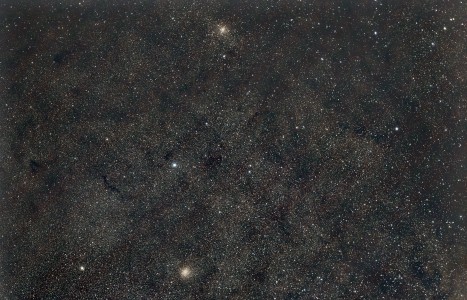
Image of the day

Captured by
Michael Scherman

Dual Clusters near Antares

My Account

New to Astromart?

Register an account...

Need Help?

How to insert pics on Astromart ?

Started by Mark Van Tiem, 08/16/2004 03:04AM
Posted 08/16/2004 03:04AM Opening Post
Could someone help me with inserting image on Astromart classified. I wanted to post add with some images but could not figure out how to do it.I tried using the Insert Image Icon but when the part comes up to enter URL of the images. I hate say it but I am lost at that point. My computer is a Dell pentium 4 with MS XP home edition and I have AOL as ISP.
Thanks for any help you pass on Mark
Posted 08/16/2004 03:47AM #1
Make up your add,then when you say accept it will come up with a place to add a picture. It must be a JPG of less than 500kb to post it as I remember.
Just browse to the photo and select it and then it will be added to the ad.
Floyd

[SIZE="Large"][/SIZE][COLOR="Blue"][/COLOR] Floyd Blue grin
Amateur Imager
Posted 08/16/2004 04:42AM #2
You'll need to know where you Saved your photos to, i.e., My Photos, My Documents, Desktop, ???Folder??? and then when you click on the 'Browse' button your 'Choose File' box will pop up. From that select the photo from where you saved it and when you Click it the link to the photo shows up in the 'Attach Image' box on the AstroMart page and then click 'Post'.

The only other thing I can suggest is many times I've experienced that photos sent via email come through as some alien code from people using AOL.

Attached Image:

Birdhunter's attachment for post 82212
