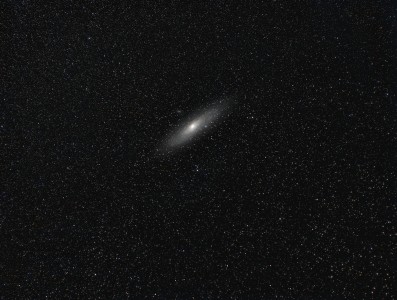
See this pic....

Started by Ron777, 04/23/2004 06:21PM
Posted 04/23/2004 06:21PM Opening Post
It 's from here http://www.fpi-protostar.com/bgreer/may2004s%26t.htm
And this is what my star images looked like when REALLY REALLY defocused, with or without the fan.
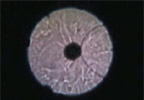
Attached Image:

Ron777's attachment for post 15240
Posted 04/23/2004 07:05PM #1
Ron,

That's probably the atmospheric turbulanece you are seeing.

Here is what convinced me that the fans helped.

Setup the scope with the fans off. Wire up a remote switch that allows you to look in the ep while turning the fans on. Point at a star, defocus (preferably inside of focus) and then flip the fans on. What results in my XT10 and Starmaster is a sort of chaos for 30 seconds or so and then I'm just down to the atmospheric turbulence. No fan is gonna get rid of that.

Is this turbulence you are seeing fast moving and somewhat organized or slow moving and lazy? The slow moving and lazy is a sign of tube currents. Fast and organized is the atmosphere. The boundary layer removal will have only a subtle improvement and if you're not watching as it's washed off, you might not even notice a difference.

So, the fan is probably working just fine, you just have a crappy atmosphere.

Tom
Posted 04/23/2004 07:49PM #2
Did the pattern move any more quickly or slowly with the fan on or off? IOW, did having the fan on speed up the currents? If so, then the currents are probably in the tube and the fan is just blowing them around. If not, then it's probably the atmosphere.
Posted 04/23/2004 08:03PM #3
Have you tried different speeds on the fan which may help you detect any patterns??


Mark
Posted 04/23/2004 09:01PM #4
Ron,
the the heat was tube currents rather than the mirror boundary layer I would suspect.
Floyd

[SIZE="Large"][/SIZE][COLOR="Blue"][/COLOR] Floyd Blue grin
Amateur Imager