Hi, I can't seem to get any color in my LRGB images. I am using a ST2000xm with the CFW8, SBIG IR blocked filters.
I'm using CCDsoft to align and combine the 4 images into LRGB but when they combine they seem to be totally B&W! I can make adjustments in Paint Shop Pro to bring out color but the color doesn't look very nice. Is this what I am suppose to do? And with practice I will get better or should the combined image have some color to begin with? I am attaching an image og M17 that I collected last night. L=20 min. R=15min G15min B=15min. color 2xbined. As you can see, absolutly no color! Is it to short of exposures or am I doing something else wrong? I've got Ron W. book but I am a little confused about the color processing.
Thanks for any help anyone can give!!!!!! Tom
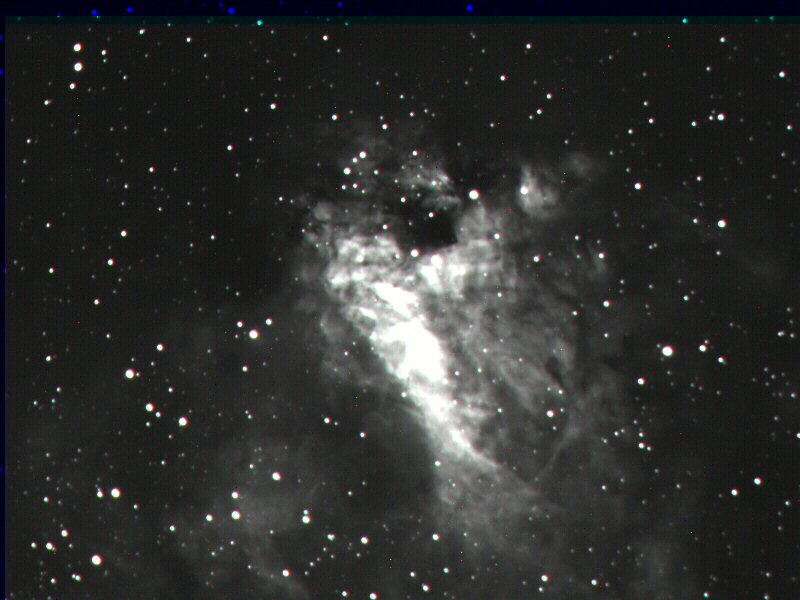
I'm using CCDsoft to align and combine the 4 images into LRGB but when they combine they seem to be totally B&W! I can make adjustments in Paint Shop Pro to bring out color but the color doesn't look very nice. Is this what I am suppose to do? And with practice I will get better or should the combined image have some color to begin with? I am attaching an image og M17 that I collected last night. L=20 min. R=15min G15min B=15min. color 2xbined. As you can see, absolutly no color! Is it to short of exposures or am I doing something else wrong? I've got Ron W. book but I am a little confused about the color processing.
Thanks for any help anyone can give!!!!!! Tom
Attached Image: