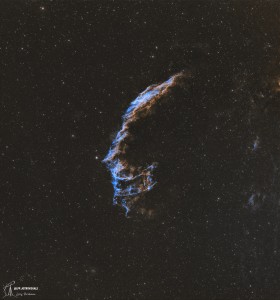
Image of the day

Captured by
Lawrence Parchman

Eastern Veil Nebula (NGC 6992) - Wide View

My Account

New to Astromart?

Register an account...

Need Help?

Hope I don't bore you but!

Started by fblue, 07/28/2007 01:09AM
Posted 07/28/2007 01:09AM | Edited 07/28/2007 01:15AM Opening Post
Here is a new r processing of the M20 I did before. But this was done with CCDStack and new methods of stacking and even processing.
I think this worked and is good as I can possibly get with the data at hand. The sky is a little black, but I left it that way because I liked the effect it had on the star colors.
Pleas, take a look and tell me if you think this is a better image. I am trying to learn these new programs.
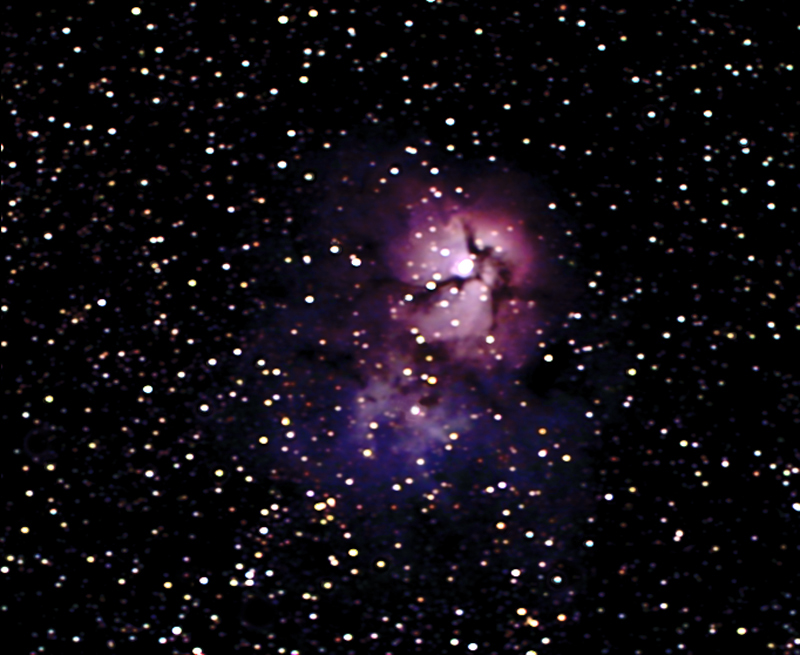
Attached Image:

fblue's attachment for post 38039

[SIZE="Large"][/SIZE][COLOR="Blue"][/COLOR] Floyd Blue grin
Amateur Imager
Posted 07/28/2007 01:28AM | Edited 07/28/2007 01:29AM #1
Floyd, by looking at your image histogram, under Photoshop, I can tell that your image has been clipped... way too dark. (the curve should show a starting base point from both ends, left & right) Also, the star colors are way too pronounced (for the exposure that you have), meaning that saturation is too high...

Don't push yourself too much on this, slow down, compare your image to others, taking into consideration your exposure times... wink 8)


Keep at it! 8)

Ivan Gastaldo 8)
Coconut Creek, FL

Ivan's Observatory
Lat 26N 16' 48" Long 80W 10' 48"
[COLOR="Red"]Personal Website:[/COLOR] http://www.ivangastaldo.com

CCD Imaging and Processing/Deep Sky - Moderator
I like to complain about everything - Moderator
Posted 07/28/2007 01:59PM #2
Floyd,

You have to identify the parts of the image you want to emphasize, and then build your curves to bring them out. It looks to me like you are overemphasizing the bright areas, and thus your stars are getting too large. ANd you are probably throwing out a lot of data setting your black points too high, and your white points too low, thus clipping off some information.

ALex