Gents (and Ladies),
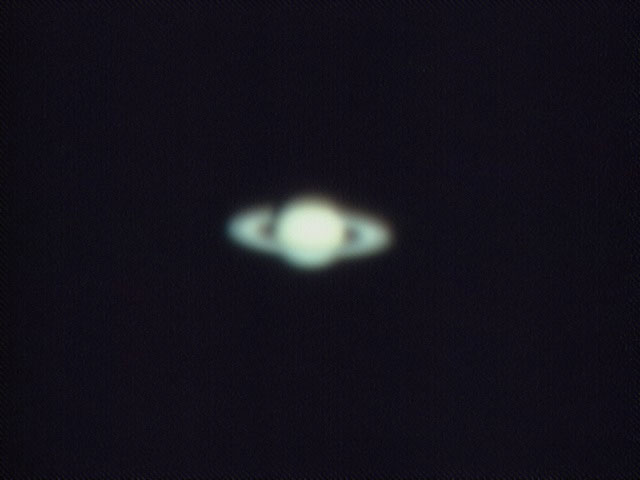
I have been processing some of my webcam images and have run into a problem after stacking. The attached image consists of a stack of 109 AVI frames from a 740 frame file that were taken through a C8 using a Logitech 4000 webcam and K3CCD tools then stacked in Registax v4.
Disregarding the fact that the planet is out of focus, the problem I am having are the diagonal bands from top left to bottom right that I keep getting across the image. I initially thought that it might be an issue with the Bayer matrix so I attempted to use Registax's debayering options and none of the four combinations (GR, BG, RG, GB) have removed the banding. When I magnify the image so the pixels can be clearly seen it looks as though the bands occur every six pixels rather than every four that I would expect with a debayering issue.
I have used the raw AVI by itself as well as with combinations of flats and darks to try to remove the banding but have been unable to make any headway. What is it that I am seeing here and how do I remove it?
Aaron
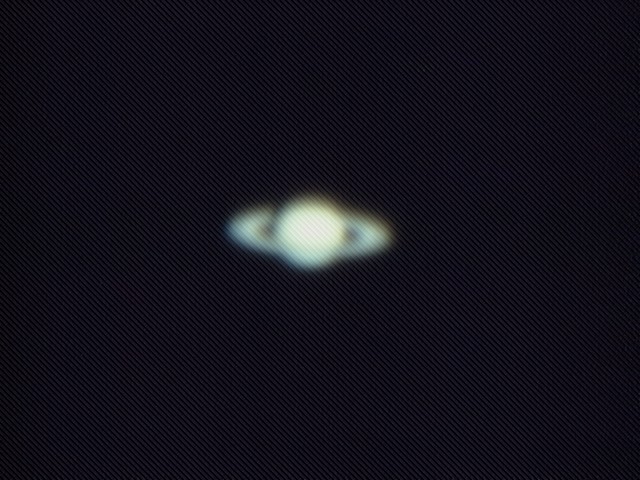
I have been processing some of my webcam images and have run into a problem after stacking. The attached image consists of a stack of 109 AVI frames from a 740 frame file that were taken through a C8 using a Logitech 4000 webcam and K3CCD tools then stacked in Registax v4.
Disregarding the fact that the planet is out of focus, the problem I am having are the diagonal bands from top left to bottom right that I keep getting across the image. I initially thought that it might be an issue with the Bayer matrix so I attempted to use Registax's debayering options and none of the four combinations (GR, BG, RG, GB) have removed the banding. When I magnify the image so the pixels can be clearly seen it looks as though the bands occur every six pixels rather than every four that I would expect with a debayering issue.
I have used the raw AVI by itself as well as with combinations of flats and darks to try to remove the banding but have been unable to make any headway. What is it that I am seeing here and how do I remove it?
Aaron
Attached Image: