Image of the day

Captured by
Jay Messeroff

Lunar & Solar Transits

My Account

New to Astromart?

Register an account...

Need Help?

A way to make prints from slides

Started by J.P. McBride, 03/20/2005 05:01AM
Posted 03/20/2005 05:01AM | Edited 03/20/2005 05:16AM Opening Post
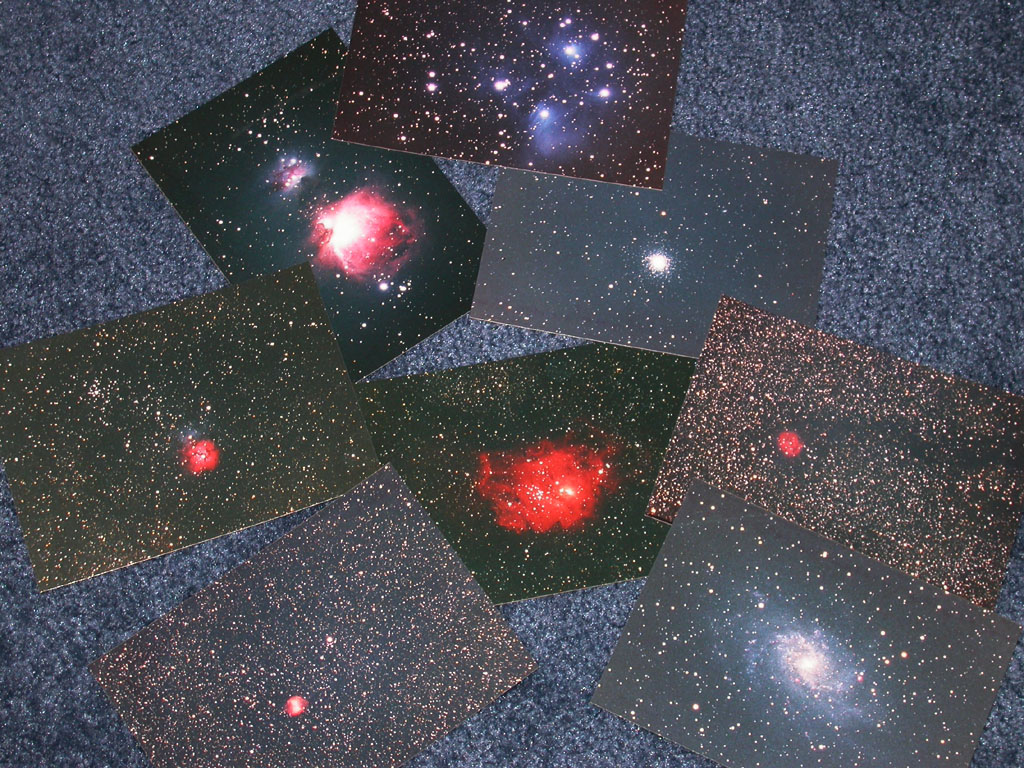
I read this many years ago and have been using it with great success. Take your trans./slide and copy it or rephotograph it using 100ASA print film then go and have it printed. The colors almost jump off the paper. There is a great amount of contrast generated in the dupeing process that brings out a lot of faint detail in astrophotos. Its a little trial and error as far as getting the proper exposure with the dupe. The only equipment I use for this is a slide dupe lens/kit, light table, camera. After I photograph my slides I take the film to get it processed but not printed ($2.00). I then can see what exposures worked when I duped the slides, and can decide to re dupe at this point. If the negs look good then I can go and have the negs printed. I use a Kodak create a print machine for all my printing. (I think its the last working machine in the country). You can also get them printed at any store that has in house minilab...so you can talk with the lab person in order to get your prints done correctly. This process also increases grain but I am very happy with 8 X 10 that were originally shot on E200. Here is 2 prints I did today that I shot last month on E200 through my C-11. ( see next post for more info)

Thanks

Joe
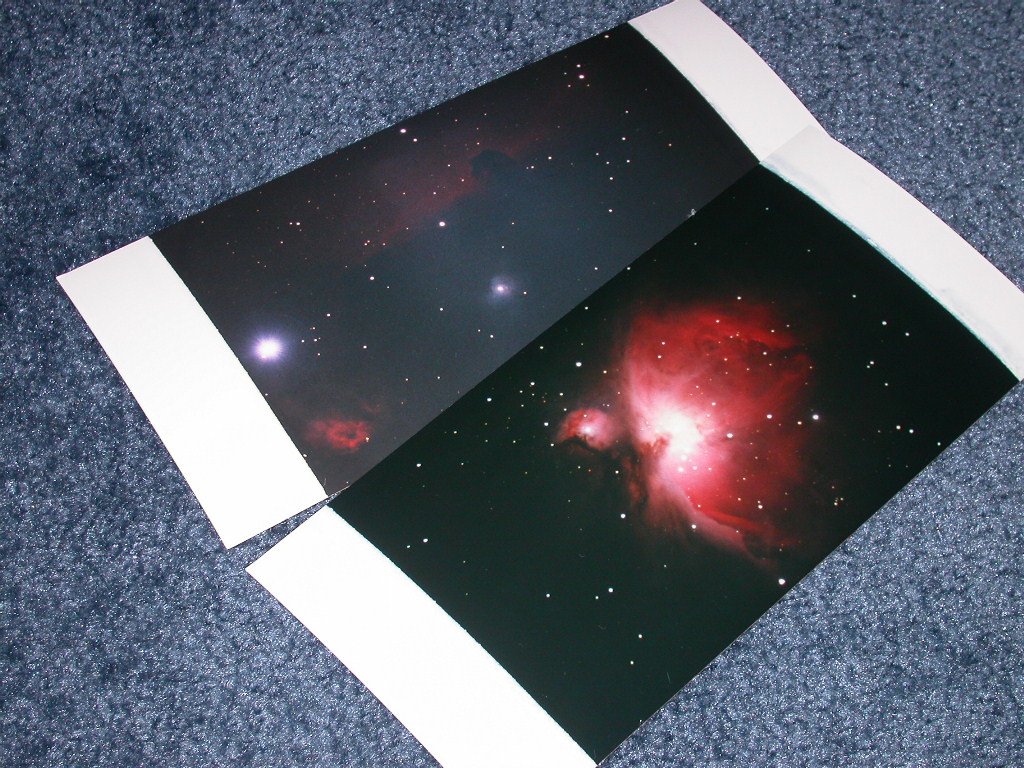
Attached Image:

J.P. McBride's attachment for post 22991
Posted 03/20/2005 05:14AM | Edited 03/20/2005 05:32AM #1
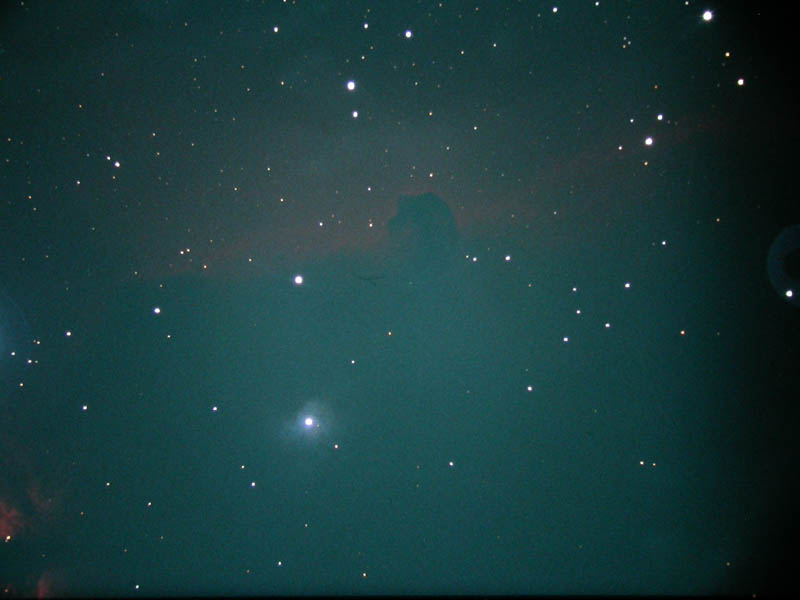
Here is a scan of the original slide with no enhancement. When duping slides you can also use color filters to enhance color or correct color balance when you make the dupe. You can also have more color correction when the final printing is done. This Horse Head shot was taken with my C-11 for 15min under fairly light polluted skies. It shows up ok on the original but with the dupe process I discussed it looks a ton better.

Thanks

Joe

Attached Image:

J.P. McBride's attachment for post 89705
Posted 03/21/2005 06:44PM #2
Jason, Thanks for pointing this thread out to me!

Joe, I'm interested in this exact thing! Since I posted the question on a news group a couple days ago i have found a place with in five minutes of me that makes prints from slides and can copy to CD. However, He can only make a print from a slide as large as 8x10 inches, Print film he can go as far as 10x15, I'm interested in 8x10 miles, or at least as large as i can get it;-)

My original problem was that the nearest place to make prints from slides is about an hour drive but If i could copy the slides on to print film i could go to my local photolab and get prints. Pretty much like what you have mentioned. Could you give some information on the "slide dupe lens/kit"? I heard of such a beast but never seen one and know nothing about it. Is it possible to make one at home to save some money or would it be cheaper to buy one? And last, The two photo's you attached to this message, one with M42 and next to it a star field, are they one in the same photo, I.E. before and after shots?
Thanks,
Michael Barlow
Posted 03/22/2005 09:04PM | Edited 03/22/2005 09:10PM #3
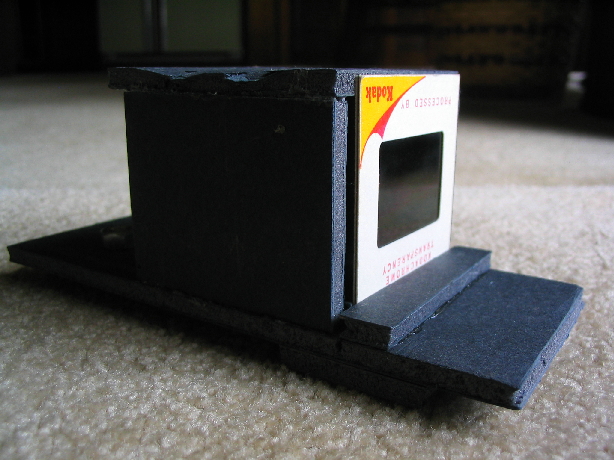
When you wise up and finally go digital, here's a way to copy slides that is so easy that it's embarassing. Attached image is of the rig I made. It mounts to my Canon A70 tripod socket. The A70 will focus to two inches, which is where I cut the slot to hold the slide. Since the camera and slide move together, shutter speed is not important. For best results, use daylight and shoot against white paper eight or so inches behind the slide. Some Nikon digicams focus even closer, but I really like the Canon A series.

Attached Image:

streets's attachment for post 89795
Posted 03/28/2005 03:18PM #4
Here is a few more prints that were made with the method discussed.

Joe


Attached Image:

J.P. McBride's attachment for post 89987
Posted 03/29/2005 08:50AM #5
Hi,

Indeed, this technique doesn't just apply to slide, it applies to negatives as well. You can use side film to duplicate negatives. In the duplicating process, both color saturation and contrast will increase. You can even push process the slide to make the contrast increase more dramatic.

Wei-Hao

Wei-Hao Wang
http://www.aoc.nrao.edu/~whwang