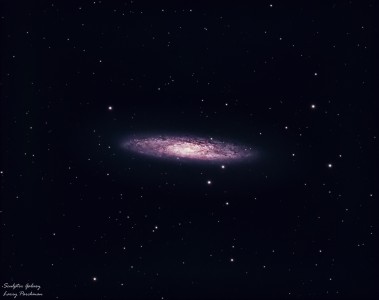
Image of the day

Captured by
Lawrence Parchman

Sculptor Galaxy (NGC 253)

My Account

New to Astromart?

Register an account...

Need Help?

M29 (with background emission)

Started by jthommes, 11/02/2008 10:18PM
Posted 11/02/2008 10:18PM Opening Post
Here is an image of M29 with 10 min H-Alpha exposures capturing some of the background that seems to be all through the Cygnus region. (Well, I am really not sure of the clusters distance relative to the nebulosity - but I'll still call it background.) A full size image and exposure / processing detail is here:

http://jthommes.com/Astro/M29.htm

Megrez II 80 mm with WO FFIII (f/5.9)
Artemis285 HA, IR/UV Block, and RGB filters
G11/Gemini
Guiding - C8 at 1350 mm, DSI Pro, PHD Guiding

M29 in a 2004 version in a narrower field is here:

http://jthommes.com/MiscAstro/Archives/M29.htm

Jim Thommes

Mak-Newt 152 mm
C8
Megrez II APO
Zenithstar 66 mm APO
G11/Gemini
ST8300M
Artemis285 Camera
Canon 350D DSLR

http://jthommes.com/Astro/
Posted 11/03/2008 02:16AM #1
Hi Jim,

Nice,I like how the Ha added depth to the image,bringing out the dark,dusty areas and adding nice detail in the background.

You retained the star colors very well in the cluster too.


Jason
Posted 11/03/2008 03:37AM #2
Nice shot. Good question as to which is "in front". That looks like your Ha "blending" with L and R worked well, so I would be interested in more details of that. (Done in AstroArt or Photoshop? 50-50 mixes? Add? Average? etc...) Also again thanks for posting your "progress" links.

Charlie


Fort Lewis Observatory: (37.238, -108.052) ~2360m (7744 ft.) elevation.
Darkness - typically 6.5+
Scope - Meade 16" LX200; f6.3 focal reducer
Focus - JMI Smart focus
Camera - SBIG ST-10XE; (~.5"/pixel)
Guiding - AO-8 and/or Meade 5"/DSI/PHD
http://www.fortlewis.edu/observatory
Posted 11/03/2008 06:47AM #3
Nicely combined Jim! The "background" adds a lot.

"The expression of the beautiful is in direct ratio to the power of perception acquired by the artist." (Gustave Courbet)
Posted 11/04/2008 03:52AM #4
Thanks for the comments folks.

Charlie, The Ha / Red blending was done in Photoshop. I do a star mask so as to avoid any color distortion on the stars. The blending is a 100% lighten with the stars masked out. The key on the starmask is to fuzz the larger stars with blur - then shrink the mask with a 50% faded maximum. Then the whole thing gets another slight blur - makes a nice smooth transitions on the star edges.


Jim Thommes

Mak-Newt 152 mm
C8
Megrez II APO
Zenithstar 66 mm APO
G11/Gemini
ST8300M
Artemis285 Camera
Canon 350D DSLR

http://jthommes.com/Astro/
Posted 11/04/2008 04:23AM #5
Open clusters are often over looked. You image them better than most. Nicely done!

Tom

Starsearch Observatory
Lat 42N 47' 00" Long 112W 10' 47"
Elev 1752m
www.tvdavisastropics.com
