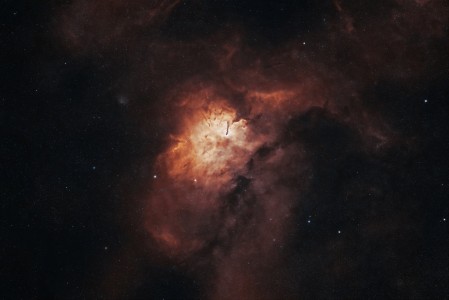
C/2006 A1 Pojmanski had a very fast relative speed of motion, 7 arc seconds per second on March 4, making it a prime candidate for animation. (Now it is 5.9 arc seconds per minute, still pretty fast.) You can’t image for long due to the speed (unless you guide), so you wind up with lots of short exposure frames. Ideal movie material.
Images and short (593 kB) movie at
http://home.att.net/~dpersyk/new.htm
Here’s what I do in ImagesPlus:
1) Stretch the midpoint frame to pleasing histogram shape and apply that histogram to all images. The sky background may vary considerably from beginning to end, but it will look fine in the movie.
2) Convert FITs to JPGs
3) Align on the stars. This is important! If you align on the comet head, the animation will not look as pleasing.
4) Crop all images down to a small size, like 300 x 200 pixels. Please. Most viewers don’t want to download a 15 – 20 MB movie!
Next, in Ulead GIF Annimator:
1) Click on Annimation wizard and import the jpgs
2) Preview and remove any bad frames
3) Under Optimize, reduce the color bit depth from 256 bits to 16 (or less) bits. This has a profound effect on reducing file size. Experiment with different settings to make the file size as small as you can without sacrificing image quality too much.
4) Hope the Academy Awards will nominate your movie.
Notes on the software I described:
Of the many image processing aps I use, ImagesPlus seems best suited for handling a hundred or so frames at once. The “Apply to all images” command is greatly appreciated when dealing with a whole bunch of images simultaneously.
Ulead GIF Animator replaced my all-time favorite Animagic. When I got a new computer I somehow lost the password to it and now it’s broken. The Ulead ap is ok, gets the job done, and is easy to use. I’ve not tried other animation aps so I don’t know how it compares.
Give comet movie making a try. It is fun and a good way to use up all of those frames you took.
Thank you for visiting my site.
Clear skies,
Dennis Persyk
Igloo Observatory Home Page http://dpersyk.home.att.net
Hampshire, IL
Images and short (593 kB) movie at
http://home.att.net/~dpersyk/new.htm
Here’s what I do in ImagesPlus:
1) Stretch the midpoint frame to pleasing histogram shape and apply that histogram to all images. The sky background may vary considerably from beginning to end, but it will look fine in the movie.
2) Convert FITs to JPGs
3) Align on the stars. This is important! If you align on the comet head, the animation will not look as pleasing.
4) Crop all images down to a small size, like 300 x 200 pixels. Please
Next, in Ulead GIF Annimator:
1) Click on Annimation wizard and import the jpgs
2) Preview and remove any bad frames
3) Under Optimize, reduce the color bit depth from 256 bits to 16 (or less) bits. This has a profound effect on reducing file size. Experiment with different settings to make the file size as small as you can without sacrificing image quality too much.
4) Hope the Academy Awards will nominate your movie
Notes on the software I described:
Of the many image processing aps I use, ImagesPlus seems best suited for handling a hundred or so frames at once. The “Apply to all images” command is greatly appreciated when dealing with a whole bunch of images simultaneously.
Ulead GIF Animator replaced my all-time favorite Animagic. When I got a new computer I somehow lost the password to it and now it’s broken. The Ulead ap is ok, gets the job done, and is easy to use. I’ve not tried other animation aps so I don’t know how it compares.
Give comet movie making a try. It is fun and a good way to use up all of those frames you took.
Thank you for visiting my site.
Clear skies,
Dennis Persyk
Igloo Observatory Home Page http://dpersyk.home.att.net
Hampshire, IL

