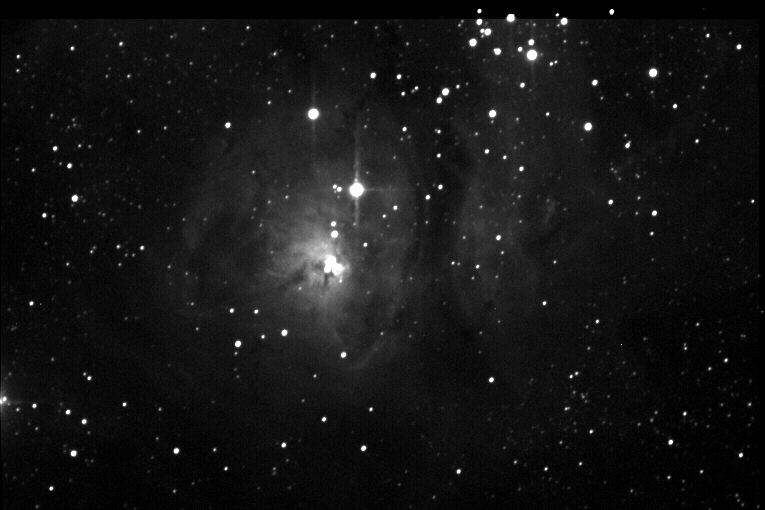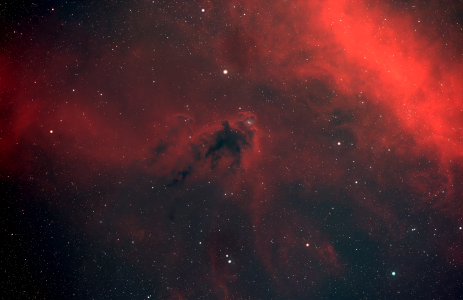
Thanks for all the nice accolades on my first light images. I went out again last night, and have a lot of questions. Three in particular are driving me crazy right now.
1) I spent most of last night trying to get the autoguider of my ST8 calibrated with my GM8. I'm using CCDSoft I've tried several times, the 211 guide chip comes up, takes an image, I choose a nice guide star, then select calibrate. It goes through the motions, but each time, it gives me one of three errors. Their wasn't enough movement on one axis or the other, and tells me to increase times (I've done that), Guide star was too close to the edge after the movement, or there was inappropriate movement on one axis or another. I can't tell that the buttons move the mount at all. I'm using an SBIG relay box between the camera and the Losmandy. Am I doing something wrong?
2)I can't figure out how to open the "Curves" dialogue box in Photoshop so I can explore using them.
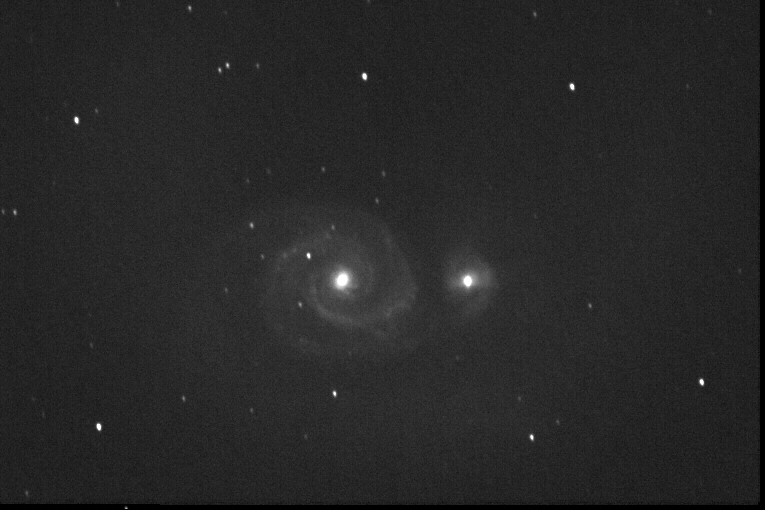
3)I can't figure out how to keep galaxy cores and bright nebula's from "Whiting Out" before I can expose them long enough to get good luminance detail in the dimmer area's. See the attached images for an example. I've tried moving the white point in the hystogram, and it's just not doing it for me.
1) I spent most of last night trying to get the autoguider of my ST8 calibrated with my GM8. I'm using CCDSoft I've tried several times, the 211 guide chip comes up, takes an image, I choose a nice guide star, then select calibrate. It goes through the motions, but each time, it gives me one of three errors. Their wasn't enough movement on one axis or the other, and tells me to increase times (I've done that), Guide star was too close to the edge after the movement, or there was inappropriate movement on one axis or another. I can't tell that the buttons move the mount at all. I'm using an SBIG relay box between the camera and the Losmandy. Am I doing something wrong?
2)I can't figure out how to open the "Curves" dialogue box in Photoshop so I can explore using them.
3)I can't figure out how to keep galaxy cores and bright nebula's from "Whiting Out" before I can expose them long enough to get good luminance detail in the dimmer area's. See the attached images for an example. I've tried moving the white point in the hystogram, and it's just not doing it for me.
Attached Image: