Image of the day

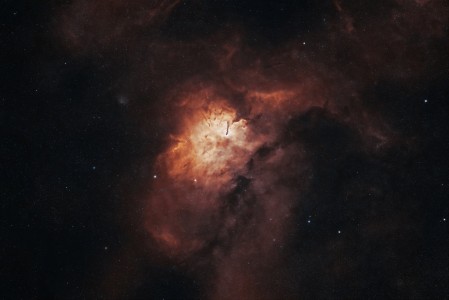
Captured by
Byron Davies

Sh2-86 (NGC-6820)

My Account

New to Astromart?

Register an account...

Need Help?

Jupiter Time Limit

Started by Kevin, 09/07/2008 10:09PM
Posted 09/07/2008 10:09PM Opening Post
I notice that the more frames you have to process, the less noise you get and the more you can do.

With that said, I have been getting about 900-1000 frames in 1 minute. How long can you go before the motion is a problem? Or is it better to shoot more fps? I am currently shooting 15 fps, as I thought that was the preferred number.

Kevin
Posted 09/07/2008 11:49PM | Edited 09/08/2008 12:27AM #1
Hi Kevin:

Most planetary imagers will tell you that two minutes is the maximum run time for Jupiter. However, RegiStax v4 and a few other image processing software packages have the ability to compensate for rotational blurring on Jupiter, out to the "three" minute mark! Any misalignments will occur near the planets darkened limb, where it's not detectable. The best mono-cam imagers routinely do about one minute per color filter, that's a 3 minute avi. I think 10fps for 2 1/2 to 3 minutes will give a sharper image than 15fps (too much compression), and it still provides you with 1,500 - 1,800 frames for processing a smooth composite. Have fun experimenting!

Cheers, Dan 8)

PS: Check out Anthony Wesley's website, and see what it's all about at, http://www.acquerra.com.au/astro
Posted 09/18/2008 10:43AM | Edited 09/18/2008 10:45AM #2
Kevin,

Personally I use 3 minutes total on Jupiter - 1 minute per channel in r,g,b. There is some colour dispersion visible at the edges, but you can trade this off to get the features aligned properly where it counts, ie in the centre of the disk.

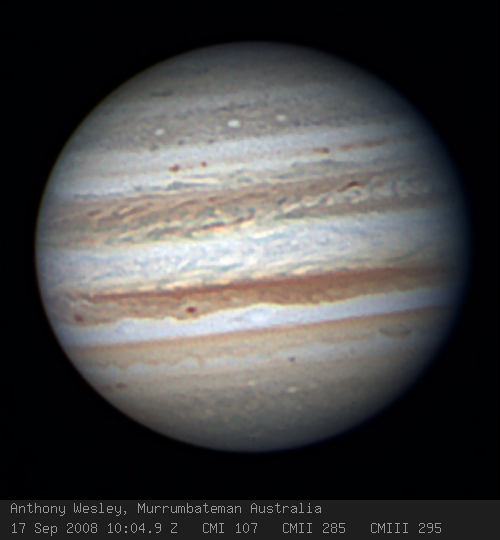
eg, here's an image from last night taken with these settings: 1 minute per channel in R,G,B @ 40fps. ie 2400 frames per channel or 7200 frames total. I normally stack the best 1000 frames in each channel, or about 40% of the total frames.

ps, registax has no specific features to correct for rotation, but if you use the multipoint alignment then this has much the same end result, not really correcting for rotations but translations, however for small movements that ok.

regards, Anthony

Attached Image:

awesley's attachment for post 125013

http://www.acquerra.com.au/astro