Image of the day

Captured by
Ruben Tommasi

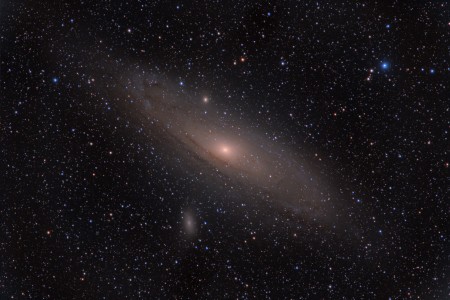
Andromeda Galaxy (M31)

My Account

New to Astromart?

Register an account...

Need Help?

Question for the more experienced Photoshoppers

Started by Astrovale, 03/01/2006 11:31AM
Posted 03/01/2006 11:31AM Opening Post
Hello everyone,

I would like an info on creating LRGB images: when I use the color image as layer should I choose the option COLOR in the drop down menu of the layer pallette? I had this doubt because Tyler told me that, in the case I was pasting the luminance layer onto the color, I should have chosen the LUMINOSITY option, but since I do the opposite and I paste the color onto the luminance....

However, the result doesn't seem to be as good as when I leave the option to normal, so I'm a little confused and I need "a little help from my friends" grin

Ciao to all

Luca

www.amun-ra.org
Solar Imaging Website
Posted 03/01/2006 02:54PM #1

Hi Luca -

I believe you can do it either way. I would suggest for the final step to have the luminosty layer on top of the RGB (color) layer. Leave the color layer as normal and change the layer settings for the top layer from normal to luminosity.

Before this final step you can order the layers any way that you like for sizing and alignment of the images. You can easily move the layers later so luminosity is on top.

Alan

Alan Friedman

http://www.avertedimagination.com
Posted 03/01/2006 03:32PM #2
Thank you Alan and Paolo.

Alan I did not know that I could choose th order of the layers and that such order was relevant. I should probably ask then which of the layers "eliminators" I should use MERGE DOWN, MERGE VISIBLE OR FLATTEN IMAGE?

Paolo, thanks for the important info: I did remember though that you once told me that the luminance is "the real thing" while the chrominance isn't that important at all. So I kept that in mind while I was doing this experiments and I always "played" around with the color image and left the other one untouched wink

Ciao guys

Luca 8)

www.amun-ra.org
Solar Imaging Website
Posted 03/02/2006 03:51AM | Edited 03/02/2006 05:17PM #3
Hi Luca,

I would suggest what Alan & Paolo suggested. Open the chrominance(RGB)image in Photoshop(make sure you rotate it to match the luminance image if needed). Now open the image you are going to use as a luminance image. Click on "select all" then click on "copy". Now minimize the luminance and paste it to the chrominance image that's already in place. If need be, you can select the move tool to move the images in syncronization. Make sure opacity is about 50% to make the alignment easier. That's all there is to it.
IMHO,(and no disrespect to the other world class imagers in the group),I regard Alan Friedman as the top image processer of all the members in this group and you can't go wrong with any advice given by him. If it wasn't for the hints and suggestions given to me and to others by him, I would never have achieved most of the best images that I have, past and present. Thanks again Alan, your unselfishness and freely given insights are indespensible to myself, and I'm sure to many others in this forum.

Thanks,
Ed Roach