Image of the day

Captured by
RICHARD COFER

VdB 141 Ghost Nebula

My Account

New to Astromart?

Register an account...

Need Help?

Stuck on Saturn

Started by ttolla, 12/07/2002 11:27PM
Posted 12/07/2002 11:27PM Opening Post
I would be most grateful for help with stacking my Saturn images. Imaged Saturn last night with my LX200 10" f6.3 coupled with my ToU-Cam Pro in video mode at 20fps. HOW do I view single frames to weed out the bad?

I moved the file into a downloaded version of Astro-Stack
, but can't seem to achieve the right results. I am also using Photoshop "Elements" as image editing software.

What am I doing wrong? focus? 20fps? stacking? seeing?

Thanks for your input,
Clear Skies,

Tom Tolla
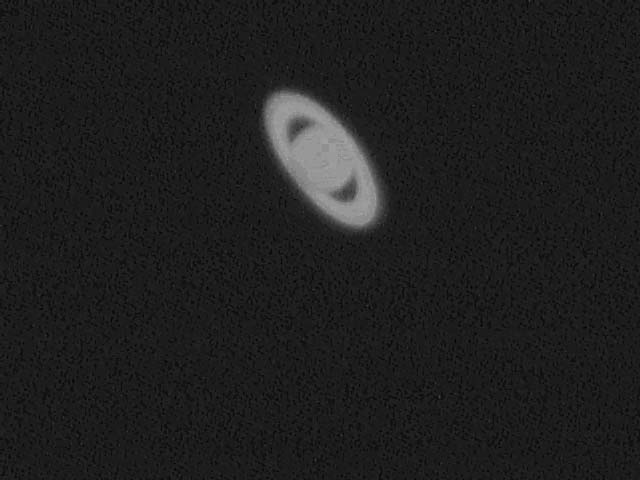

Attached Image:

ttolla's attachment for post 2548

Tom T.
Guilford, CT smile
Posted 12/08/2002 12:45AM #1
Hi Tom -

It looks like perhaps your image was overexposed to begin with. Do your original images look this overexposed? If so, you need to turn down your gain and brightness controls in the camera software.

If the single frames do not look overexposed, then you need to make sure you use the 'mean' function in Astrostack when stacking planets. The other functions seem to give the image an overexposed look.

-Jake
Posted 12/08/2002 12:54AM #2
I am a new-be and my previous simple questions on these forums are not always answered by busy people. But I did download both Astrostack and Astrostack 2 yesterday. From preliminary observations using the program focused on an object in a room at home....and after re-reading many sites on the subject, it appears to me that in Video mode(.avi) the collected image over time is treated by Astrostack as ONE image. The preview allows you to view ONLY that total time image...Not parts of it. Then the program divides that into many INMTERNAL scan operations because of file size and stacks(REALLY add's) the entire mess as a single image when you go into "load". You have two oportunities to delete or select images with long term Video .avi, one at preview and the other at save which will default the total image to "results" folder as a complete image which I think could be moved back into the "pictures" folder for further stacking later. Or it can be deleted then or later. Your question suggests to me that a long term image by Video.avi should ONLY be for deep sky ojects....NOT for near space objects like the Planets. For them, I think a shorter period .avi or .bmp shots should be taken....THEN you can "Preview" each one individually before "Loading", "Stacking", "Calculating", and "Saving". In short my observaton says...you cannot preview just parts of a long term Video.avi file and you cannot discard any part of it either. Your freedom to do this is with shorter term shots, either in Video.avi or .bmp format. My answer is DESIGNED to achieve self-correction if I have mis-understood what I observed, in addition to helping you....if any. -Larry -"May we reach understanding in a timely manner from the Pro's". :-)
Posted 12/08/2002 05:07AM #3
Tom,

Your image definitely suggests that the camera gain setting is too high (oversaturated). Go into the camera controls and disable the "auto" setting so that you can manually adjust the gain. Once the gain is down enough, then you can refine the focusing. Use a Barlow or Powermate to increase your focal length which will increase the image scale and resolution (if the skies are stable enough). A 3X Barlow will get you up to f/18.9 and 4800 ml focal length (equivalent to 96X by photography rules). You may need to get a flip-mirror unit to help center the planet on the CCD chip at this magnification. A 4X or 5X Televue Powermate can be used but the planet size may get too big to fit and keep on the chip. Taking prime focus pictures with the 10" f/6.3 won't bring out all the fine detail possible because the photographic magnification is too low (~ 32X).

As for processing software, there are several shareware programs available. "Avi2bmp" is a shareware program that allows you to view individual frames in an avi file, pick the best, then save those as bmp files for stacking. "Registax" shareware can also process avi files into bmp files and do stacking at the same time. Registax is much better than Astrostack because it has an excellent "wavelet" image processing algorithm which can bring out details that Astrostack can't (or at least I can't). Final color processing can be done in Adobe Photoshop (or equivalent) where you can also convert the image to jpeg format to decrease file size. I prefer to select the frames in Avi2bmp, then align/stack/sharpen some in Registax with final touches done in Adobe Photoshop 5.0 LE.

Dave
