I did this post as a reply on another thread and I think that it got lost.
Here it is as I think it will be of interest to many.
Hi Tom,
I researched this a bit more.
The following link shows a spectrum of colours and their associated wavelengths.
http://www.midnightkite.com/color.html
Ha light is 656.281nm. So per this spectrum it is an orangy red which
is often depicted in astroimages as a dark red, per this spectrum, incorrectly.
H beta wavelength is 486.13nm and per this spectrum is a light sky blue. But a Ha
filter would not be letting through any Ha beta as that is a long way from 656nm.
Assigning some blue to it would thus be twisting the data as it would really need to be
a H beta filtered image to get the correct H beta intensity. Also the blue assigned by
Photoshop would have to be that light sky blue shown in the link and not the heavy bright and darkish
blue Photoshop uses as default.
Also, I wonder what shade of "red" Photoshop uses when one assigns a channel to "red"?
"Red" of course is a scale from lightish tones to deep tones closer to infrared.The programmers of
Photoshop, perhaps arbitrarily, select a particular shade of red, which, in common usage considered "red".
Using the above spectrum then I wonder if it is possible to define which shade of red you want Photoshop
to use when it assigns red to Ha.
Photoshop has a palette of colours one can select for other actions. I wonder if
it lets you define a red from that palette for the purposes of assigning red to a channel.
I imagine it would if someone suffered through the Help file!
So in conclusion I take Ha to be a orangy red, not deep red, not orange, not pinkish but
a red leaning towards the orange side of the scale of red.
Using the above I have attached a Ha image I took of Eta Carina using a 12.5 inch RCOS and
adjusted the red channel assigned so that it matches quite closely the orangy red from the spectrum
in that link.
I think you'll agree this is not how it is normally represented. So I conclude that noone
is showing Ha in its more accurate colours and I will reprocess this Ha into an LRGB image to
see what it looks like and post it.
Greg.
Here it is as I think it will be of interest to many.
Hi Tom,
I researched this a bit more.
The following link shows a spectrum of colours and their associated wavelengths.
http://www.midnightkite.com/color.html
Ha light is 656.281nm. So per this spectrum it is an orangy red which
is often depicted in astroimages as a dark red, per this spectrum, incorrectly.
H beta wavelength is 486.13nm and per this spectrum is a light sky blue. But a Ha
filter would not be letting through any Ha beta as that is a long way from 656nm.
Assigning some blue to it would thus be twisting the data as it would really need to be
a H beta filtered image to get the correct H beta intensity. Also the blue assigned by
Photoshop would have to be that light sky blue shown in the link and not the heavy bright and darkish
blue Photoshop uses as default.
Also, I wonder what shade of "red" Photoshop uses when one assigns a channel to "red"?
"Red" of course is a scale from lightish tones to deep tones closer to infrared.The programmers of
Photoshop, perhaps arbitrarily, select a particular shade of red, which, in common usage considered "red".
Using the above spectrum then I wonder if it is possible to define which shade of red you want Photoshop
to use when it assigns red to Ha.
Photoshop has a palette of colours one can select for other actions. I wonder if
it lets you define a red from that palette for the purposes of assigning red to a channel.
I imagine it would if someone suffered through the Help file!
So in conclusion I take Ha to be a orangy red, not deep red, not orange, not pinkish but
a red leaning towards the orange side of the scale of red.
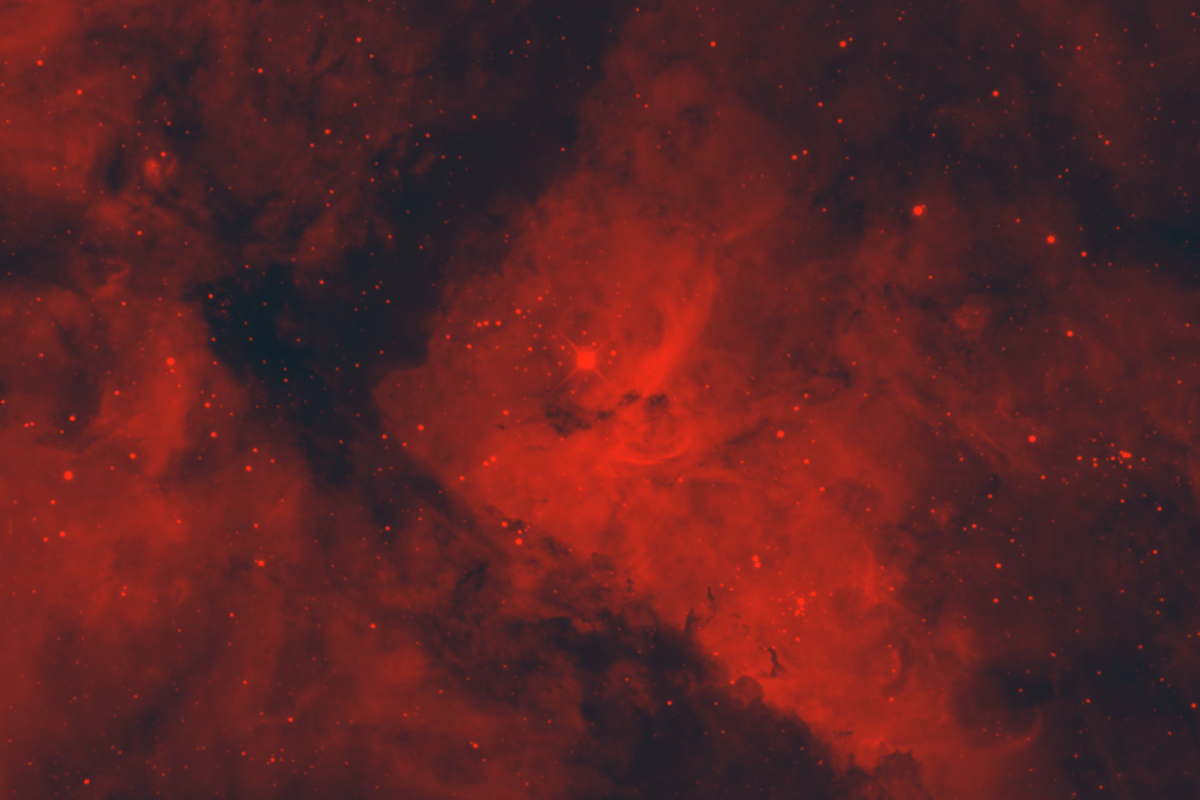
Using the above I have attached a Ha image I took of Eta Carina using a 12.5 inch RCOS and
adjusted the red channel assigned so that it matches quite closely the orangy red from the spectrum
in that link.
I think you'll agree this is not how it is normally represented. So I conclude that noone
is showing Ha in its more accurate colours and I will reprocess this Ha into an LRGB image to
see what it looks like and post it.
Greg.
Attached Image: