Image of the day

Captured by
Shane Yarnall

LDN 1622

My Account

New to Astromart?

Register an account...

Need Help?

Lunar processing help(?)

Started by SmokeDaddy, 01/03/2007 06:25AM
Posted 01/03/2007 06:25AM | Edited 01/03/2007 06:26AM Opening Post
Hello,

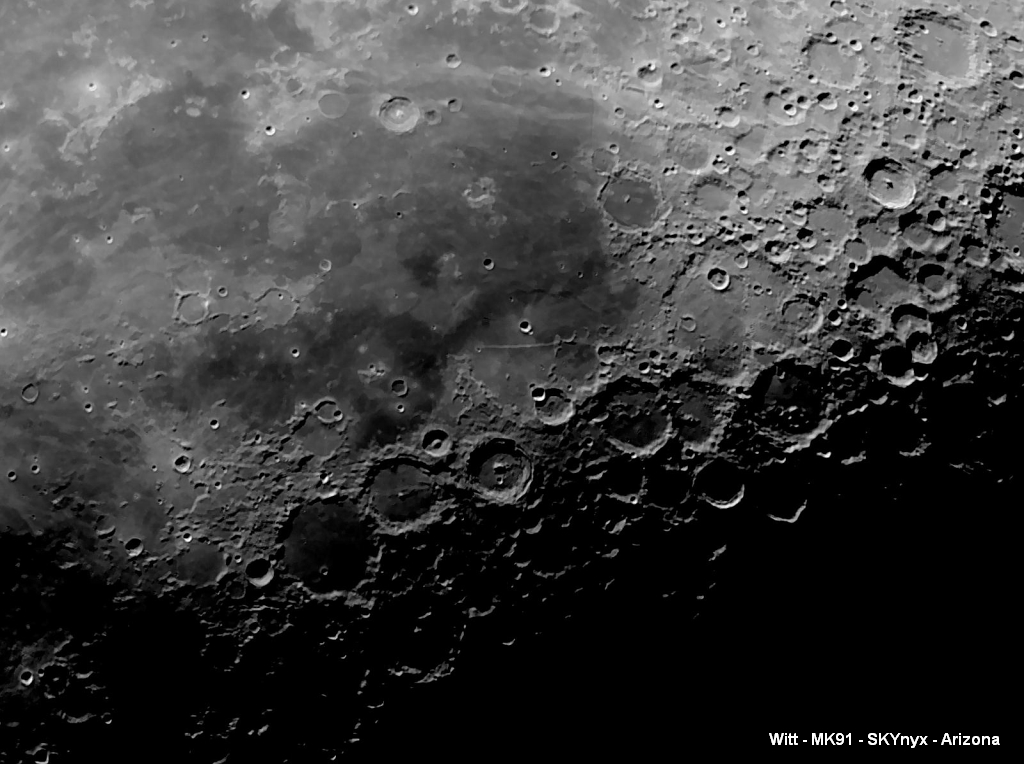
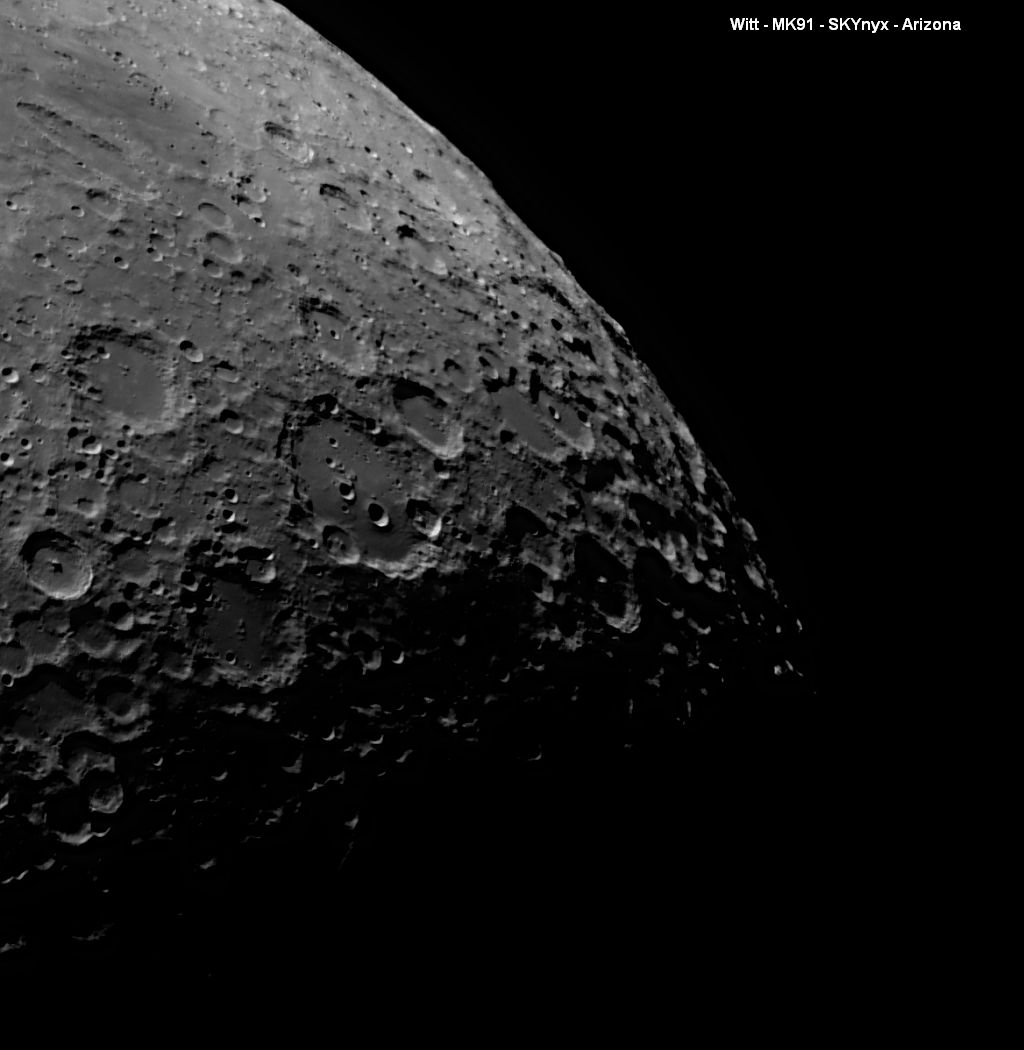
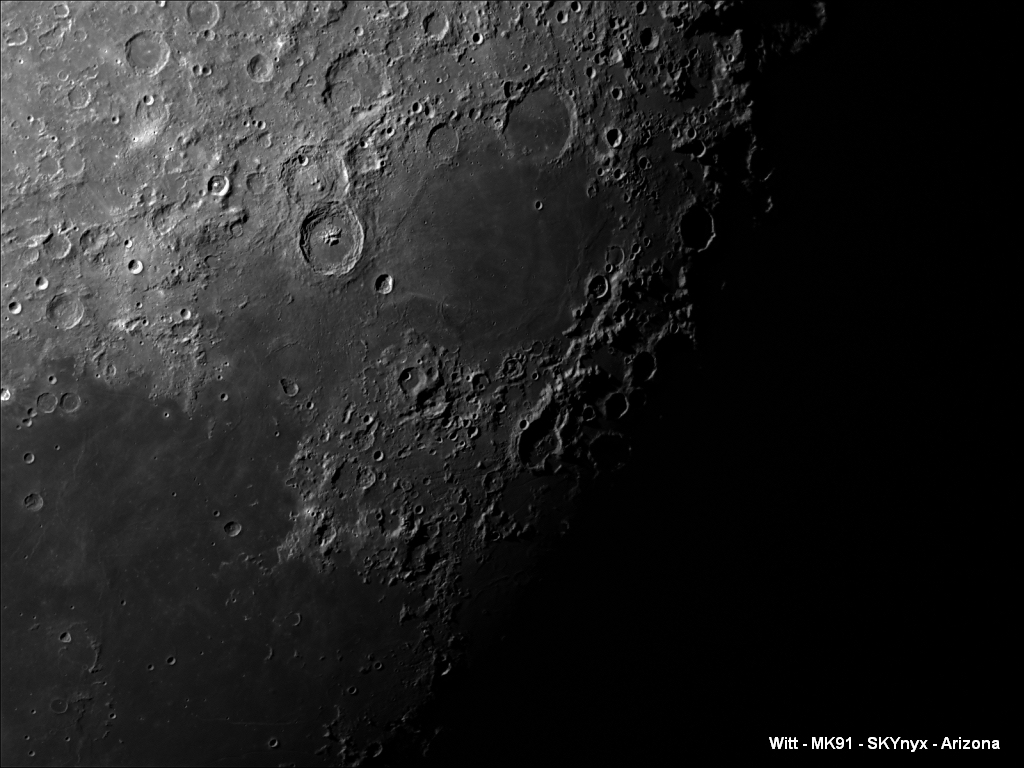
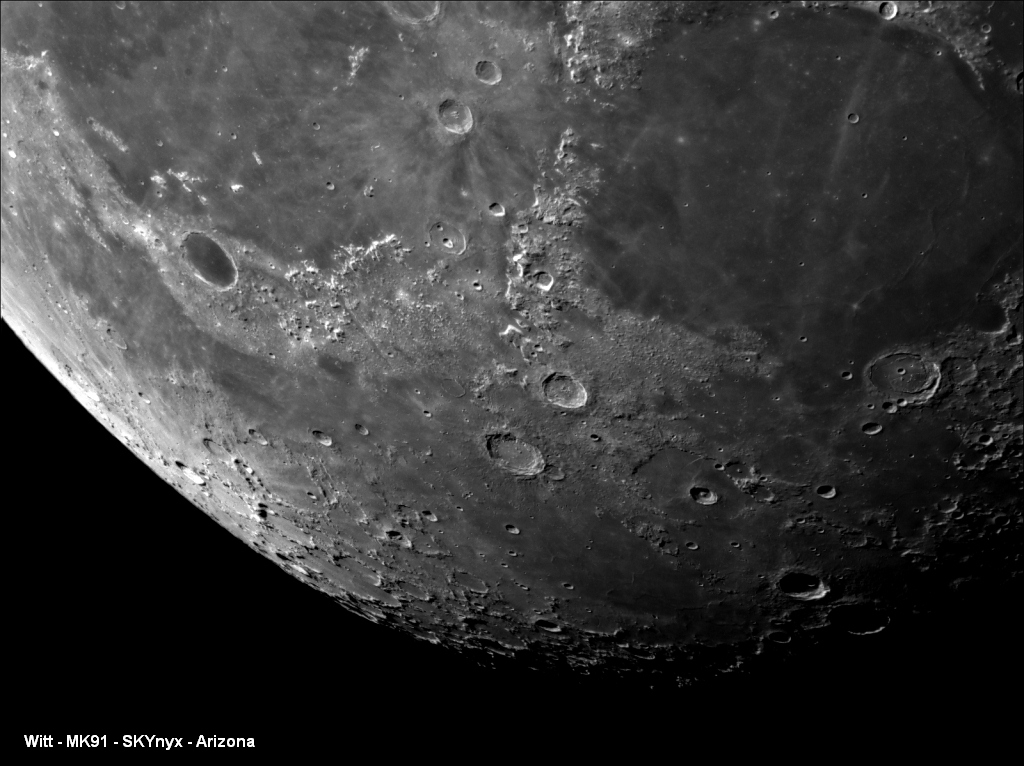
Can someone tell me what causes the over exposed areas (white areas) by the craters and how to prevent them? Plus, is there a way to get rid of them processing wise? If so, what is the technique? I have reduced the size of this image to 1024 in width for posting. I have ImagesPlus, Photoshop, Iris, yada, yada.

Thanks in advance ...

Attached Image:
SmokeDaddy's attachment for post 35153
Posted 01/03/2007 06:45AM #1
and another example:


Attached Image:

SmokeDaddy's attachment for post 110445
Posted 01/03/2007 07:12AM | Edited 01/03/2007 07:35AM #2
... and another ...


Attached Image:

SmokeDaddy's attachment for post 110446
Posted 01/03/2007 07:35AM #3
... last one ...


Attached Image:

SmokeDaddy's attachment for post 110447
Posted 01/03/2007 04:11PM #4
Hi James --

It's a beautiful image and thanks for posting it. I had a difficult time orienting to it however. Using Photoshop it took right/left reversal (flip horozontal in PS) and about a 40° clockwise rotation to match a typical inverted scope view. With those manipulations the match is very good with a 19 day old moon image in the Legault and Brunier atlas. Then I could ealily identify Mare Nectaris, Mare Tranquilitas, Craters Theophilus, Madler and more.
I'm a relative nebie to lunar observation but wouldn't it be great to have a standardized approach to image orientation?

Bob Polcyn
Posted 01/03/2007 07:10PM #5
James,

Overexposed crater rims, expecially near the terminator are difficult to "process" out. Usually the reflected light from the lunar surface around the overexposed area is much dimmer than 20 degrees away from the terminator due to the low sun angle and will fade to black if you try to expose for the crater rims. Most the the cameras in use now just don't have the dynamic range capability. (Paulo: wishlist item?)

My guess would be to keep your contrast as low as possible during capture. Also, an IR block filter might help if you aren't using one already. Your pics look excellent to me.


Cheers,

Bob

Bob Schnitzer
Grenville Base Observatory - Haymarket, VA
http://www.grenville-observatory.com
16" f18 Royce Conical Dall-Kirkham
10" f16 Parks/Coulter/Novak/Cave Classical Cassegrain
127mm Orion Starmax Mak-Cas
80mm f15 Meade refractor
40mm Tasco variable power tabletop refractor
DMK 31AF03.AS
DBK 21AF04.AS
Posted 01/03/2007 07:11PM #6
James,

I agree with Paolo, I think your images are well balanced. I am currently viewing them on a CRT screen which has less contrast than my laptop screen.

For that reason I never do final processing on my laptop.

Thanks for sharing, nice images as usual.

Chase
Posted 01/03/2007 10:29PM #7
James, you haven't really told us what camera settings you're using... Overexposed areas are the result of either (a) too much gain, (b) exposure too long, or (c) contrast setting too high (gamma).

Reducing these will help. I often find that I have to set the camera so that the moon is reasonably dim in most areas so that the brightest areas are not overexposed.

The dynamic range available to your camera is important - in general cameras with smaller pixels have lower dynamic range since the pixels fill up with charge more quickly when compared to cameras with large pixels. Dynamic range is very important on the moon as you can see...

I'm not sure which camera you have, but if it's using 4.5 micron pixels then it will have a dynamic range less than half that of a camera with 7.4 micron pixels (these are the two common pixel sizes) so if you have a choice of cameras, use the one with the larger pixels.

You can reduce the dynamic range while you're imaging by adjusting the camera controls (increase gamma, reduce shutter/exposure) but don't over-do this as you are also reducing the visible contrast.

cheers, Anthony

http://www.acquerra.com.au/astro
Posted 01/03/2007 11:23PM #8
I think your pictures look very good.

When you capture the streams, display the histogram (if your software supports this) and be sure you are not clipping off the data on the highlight end - or check the exposure settings to make sure the whites are not allowed to become fully white. If you do your processing in Photoshop, you can select the highlights using the color channel selection tool and then invert the selection so that the highlights are omitted from processing. High contrast sections of the image will be well done long before other regions are done cooking.

Alan

Alan Friedman

http://www.avertedimagination.com
Posted 01/04/2007 02:20AM #9
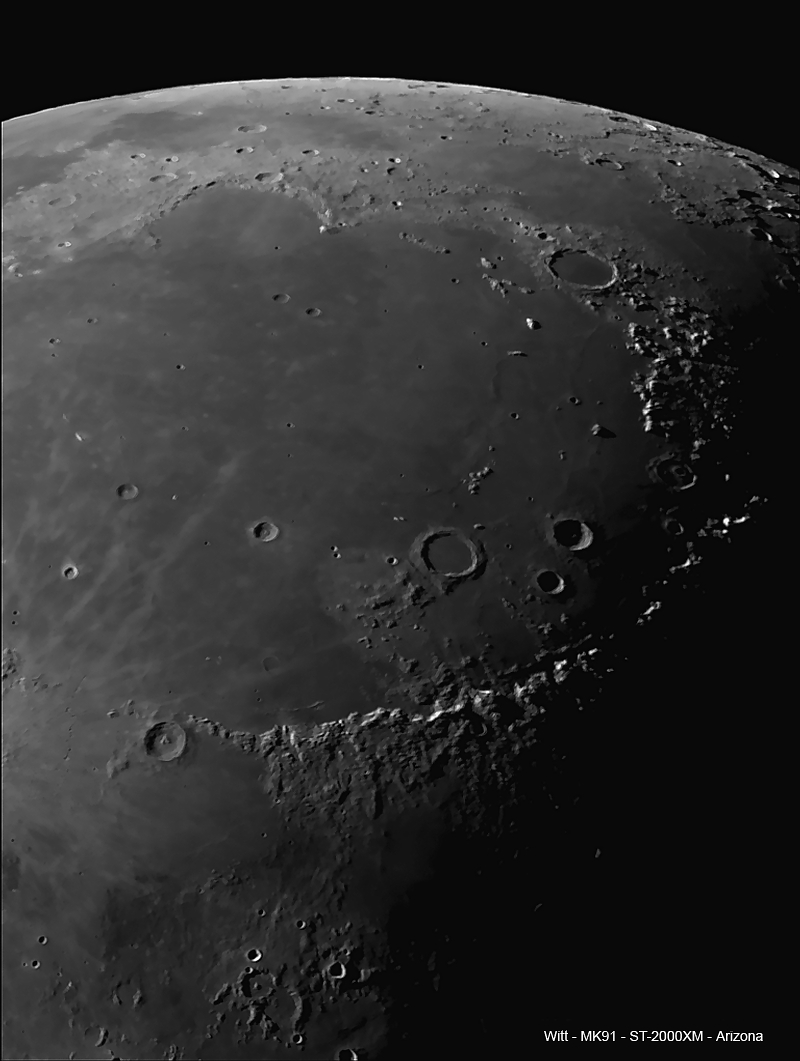
Me again,

Last image of this set (I think). I believe I have the image orientation correct this time with the Mare Imbrium, Eratosthenes at the bottom and Plato at the top. Again, using Liberator in PS and Iris.


Attached Image:

SmokeDaddy's attachment for post 110474